Dual currency and split payments
The clinic can store a second currency beside the main one. A visit can take more than one payment, each with its method and currency, and expenses can be read by day.
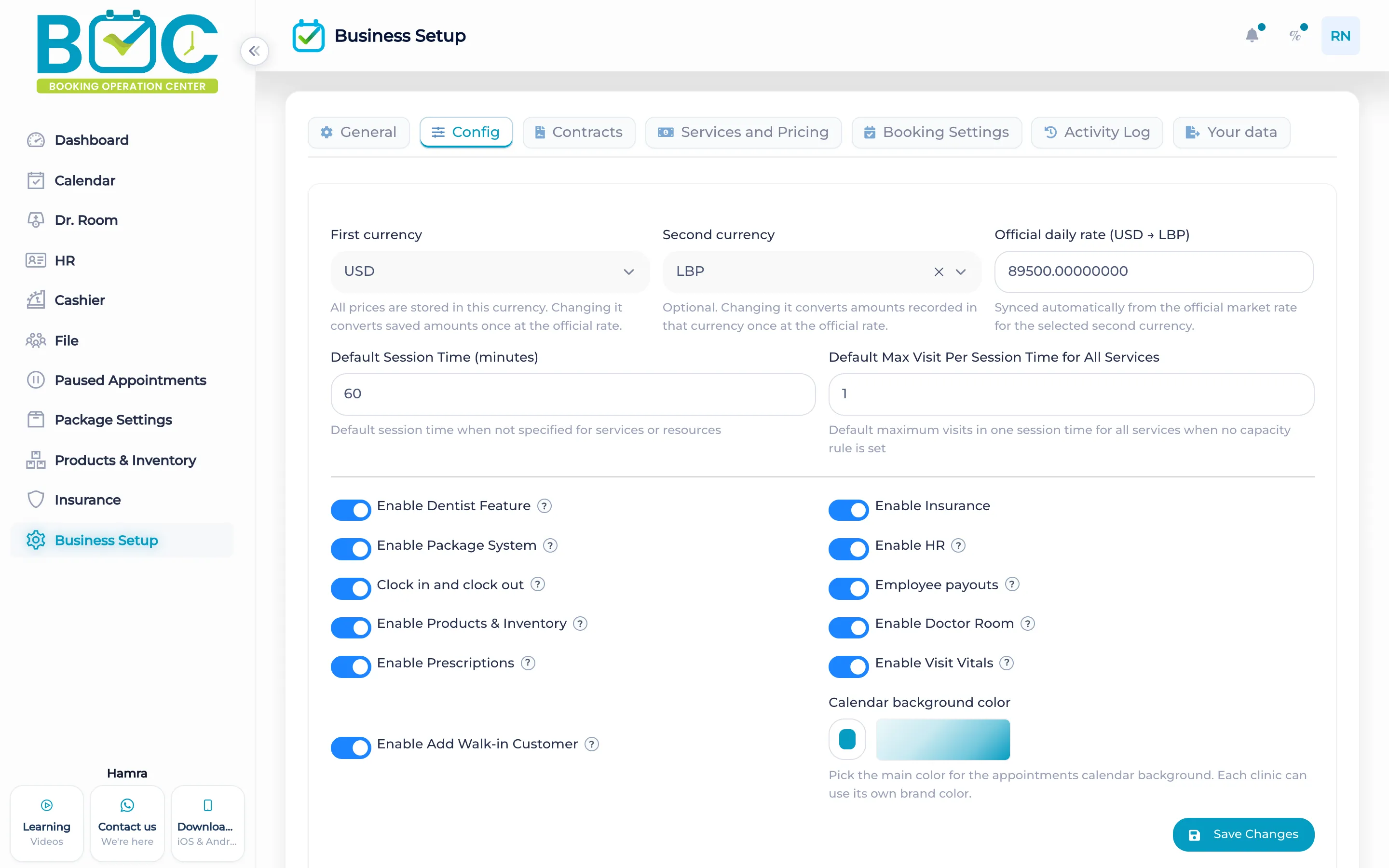
What it does
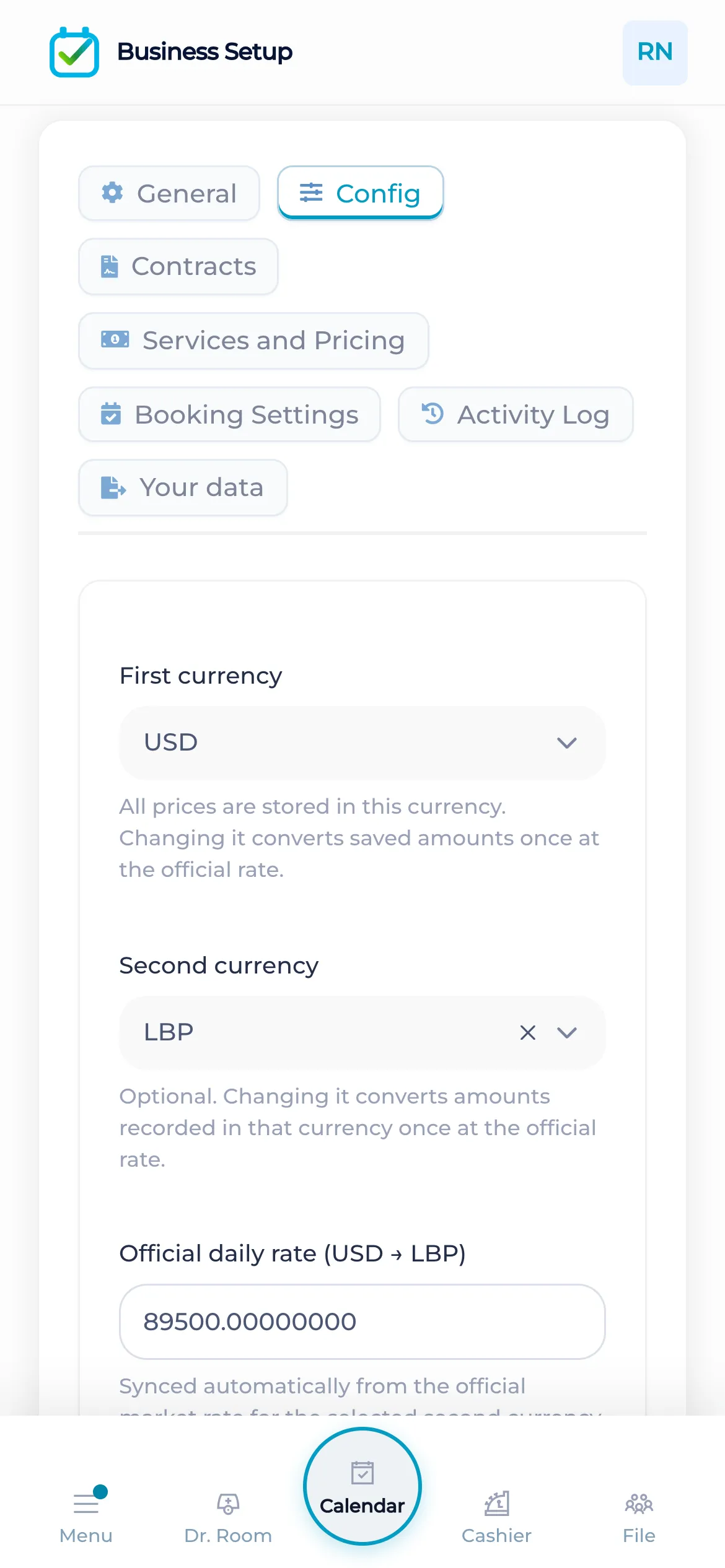
When the second currency is set or changed, BOC can load the official rate. A payment or an expense in the second currency needs that exchange rate. BOC does not sync the rate on a schedule by itself.
The cashier can record more than one payment on a visit. Each payment keeps its method and its currency. The dashboard groups collection, including cash, Visa, wallet, and insurance. Expenses by day sit with the cashier.
How it works in BOC
- Set the currencies. Store the main currency and, when you need it, a second one.
- Load the rate. When that second currency is set or changed, BOC can load the official rate.
- Take the payments. On the visit, record one or more payments, each with a method and a currency.
- Read the day. Open expenses by day next to the cashier.
Watch the tutorial
Add a second currency beside the primary currency and turn on the extra features the clinic needs.
Key capabilities
- A second currency beside the main currency.
- An official rate when that currency is set or changed.
- More than one payment on a visit, each with a method and a currency.
- Expenses by day, and collection grouped by method.
FAQs
When does BOC load the exchange rate?
BOC can load the official rate when the second currency is set or changed.
Can one visit take two payments?
Yes. Each payment has its own method and currency.
Which methods does the dashboard group?
Collection includes cash, Visa, wallet, and insurance.