Paused and postponed visits
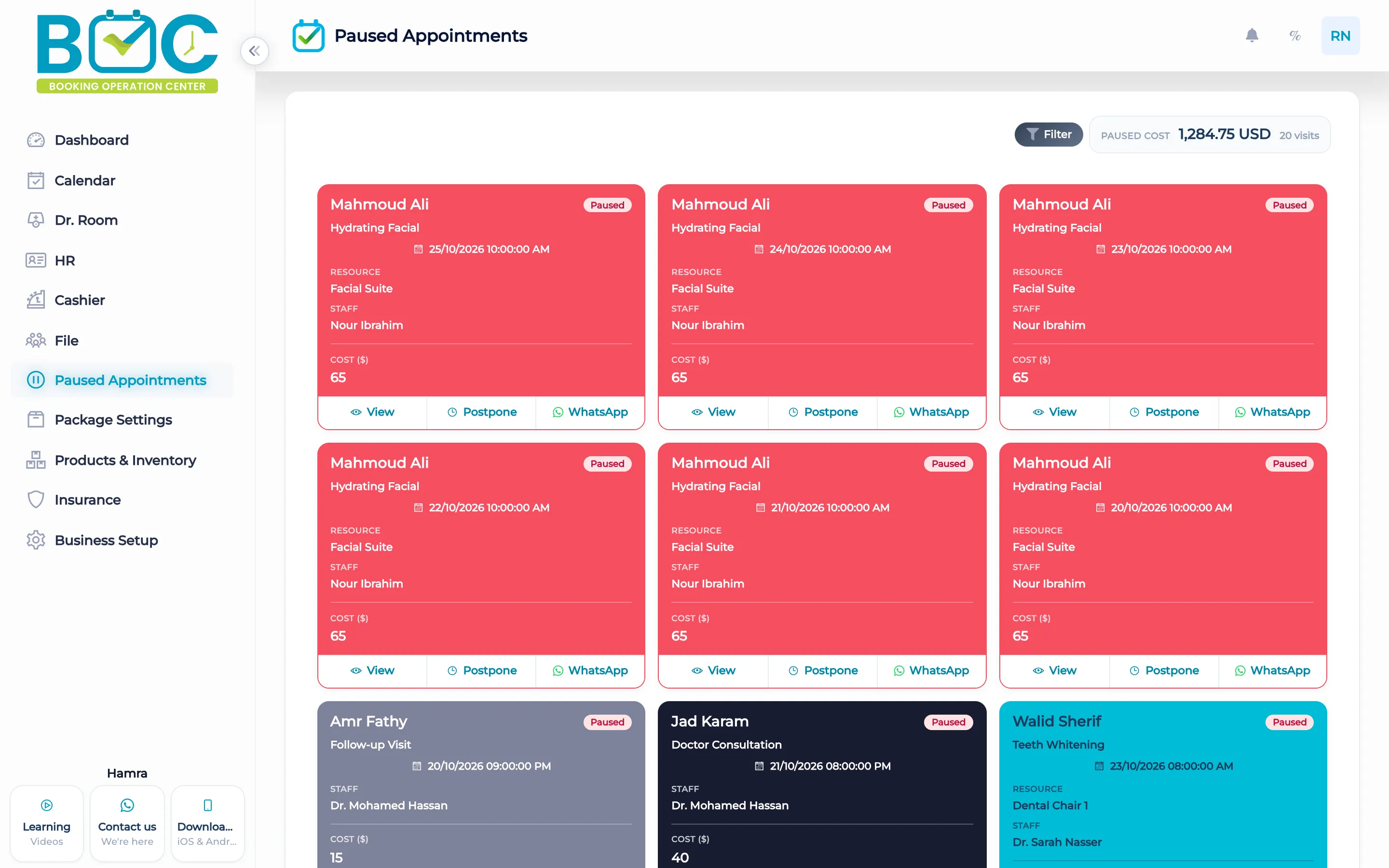
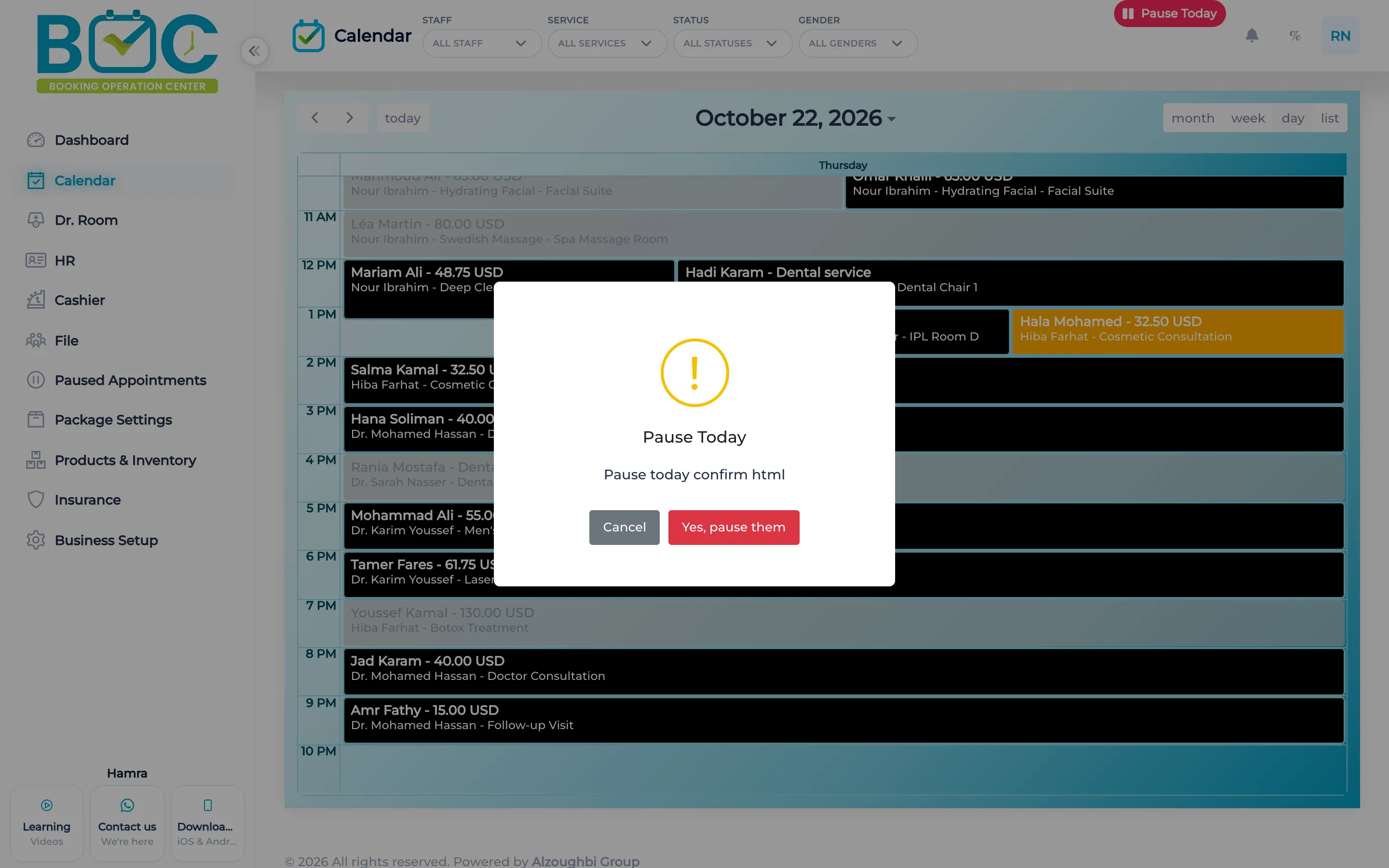
Paused visits are listed with their cost. Pausing today moves that day's available appointments to paused for the branch. They stay on the calendar, faded, and the slot can be booked again.
What it does
The paused list shows the visits and their cost. Each card can open WhatsApp for that client. Staff send the chat. BOC does not send a campaign.
Pause today moves every available appointment that day to paused for that branch. The visits stay on the calendar, faded. The slot stays bookable, and the visits appear under paused appointments.
How it works in BOC
- Open paused visits. The list shows the cards and the paused cost.
- Pause the day. Pause today moves the available appointments for that branch.
- Read the calendar. The paused visits stay on the calendar, faded, and the slot can be booked.
- Open WhatsApp. From a paused card, open a chat with that client.
Watch the tutorial
Learn how to manage paused appointments in BOC, filter the list, and check the total number and cost of paused visits. This tutorial also shows how to view appointment details and reschedule an appointment by selecting a new date and time.
Key capabilities
- A list of paused visits and their cost.
- Pause today for the available appointments of that branch.
- Faded visits on the calendar, with the slot still bookable.
- WhatsApp from the paused card. Staff send the chat.
FAQs
What does pause today do?
It moves that day's available appointments to paused for the branch.
Do they leave the calendar?
No. They stay, faded, and the slot can be booked.
Who sends the WhatsApp message?
Staff open the chat from the card. BOC does not send a campaign.