Smart calendar
The smart calendar is the screen staff keep open. It shows the day, the chairs or rooms, and the visits already booked. Customers do not book themselves on a public page.
What the calendar does
Open the appointment calendar and you see the working day. A visit sits on a time, a service, and usually a staff member or a resource. BOC checks conflicts so two visits do not quietly occupy the same person at the same time. Session length can follow the client’s gender when the service is set up that way, with a general time when a gendered time is not the one you use. Branch limitations cap how many visits of a service or a machine may overlap. The calendar is where those rules become visible, because a booking that breaks them does not just disappear into a notebook.
Staff can move a visit on the calendar when the day changes. Dragging a visit is a staff action, recorded like other changes, not a customer dragging their own booking from home. The calendar tutorial shows the daily book. Booking settings, capacity, VIP, and intervals live with appointments and bookings, next to this screen, not instead of it. There is no self-booking portal and no automated WhatsApp reminder fired by the calendar.
What makes it different
A paper book cannot see that the laser room is already full or that this service takes longer for one gender setting than another. The calendar can, because the visit, the service time, and the branch limit are the same records. You still decide the exception. The screen stops the silent double book. It does not run the business without a person at the desk.
Use the morning to read the day before the first client arrives. See who is on which chair, which visit is paused rather than gone, and which branch this book belongs to. A second branch does not share this day. Multi-branch keeps each site’s schedule separate. If you need the paused list or the booking rules, open appointments and bookings. If you need the visit note, open the customer file or the doctor room.
How it works in BOC
- Open today’s book. Go to the appointment calendar for the branch that is working now.
- Read the conflicts. A clash on the same person or a full branch limit is the signal to move a visit, not to write over it.
- Move what changed. Staff drag or edit the visit when the client arrives late or the room is taken. The change stays on the visit.
- Keep branches apart. Switch branch when you mean the other site. Do not treat two calendars as one column.
- Leave public booking off. There is no customer page on this calendar. The desk books. WhatsApp, if you use it, is a button on the file, not a reminder engine.
Who it is for
Clinics A clinic runs the day from the calendar and sends the visit to the doctor room when the client is called.
Dental clinics A dental clinic books the chair on the calendar and opens the tooth chart from the file, not from the calendar grid.
Dermatology and laser A laser clinic uses session time and room limits so two long treatments do not share one machine.
Beauty salons A salon sees each stylist’s column and moves a colour service when the previous one runs long.
Spas A spa books the room for the length of the treatment and keeps the next booking from starting inside it.
Barbershops A barbershop keeps one column per chair so a walk-up is placed in a real gap.
Physiotherapy A physiotherapy room spaces return visits on the calendar using the session length, not a guess.
Sports clubs A club books courts or coaches on the calendar. Members are not given a public self-booking page.
Concrete benefits
- The day, the person, and the room are on one book.
- Conflicts and branch limits show before a second visit is forced in.
- Session length can follow the service’s gender times.
- Staff move a visit. Customers do not book themselves.
- Each branch keeps its own calendar.
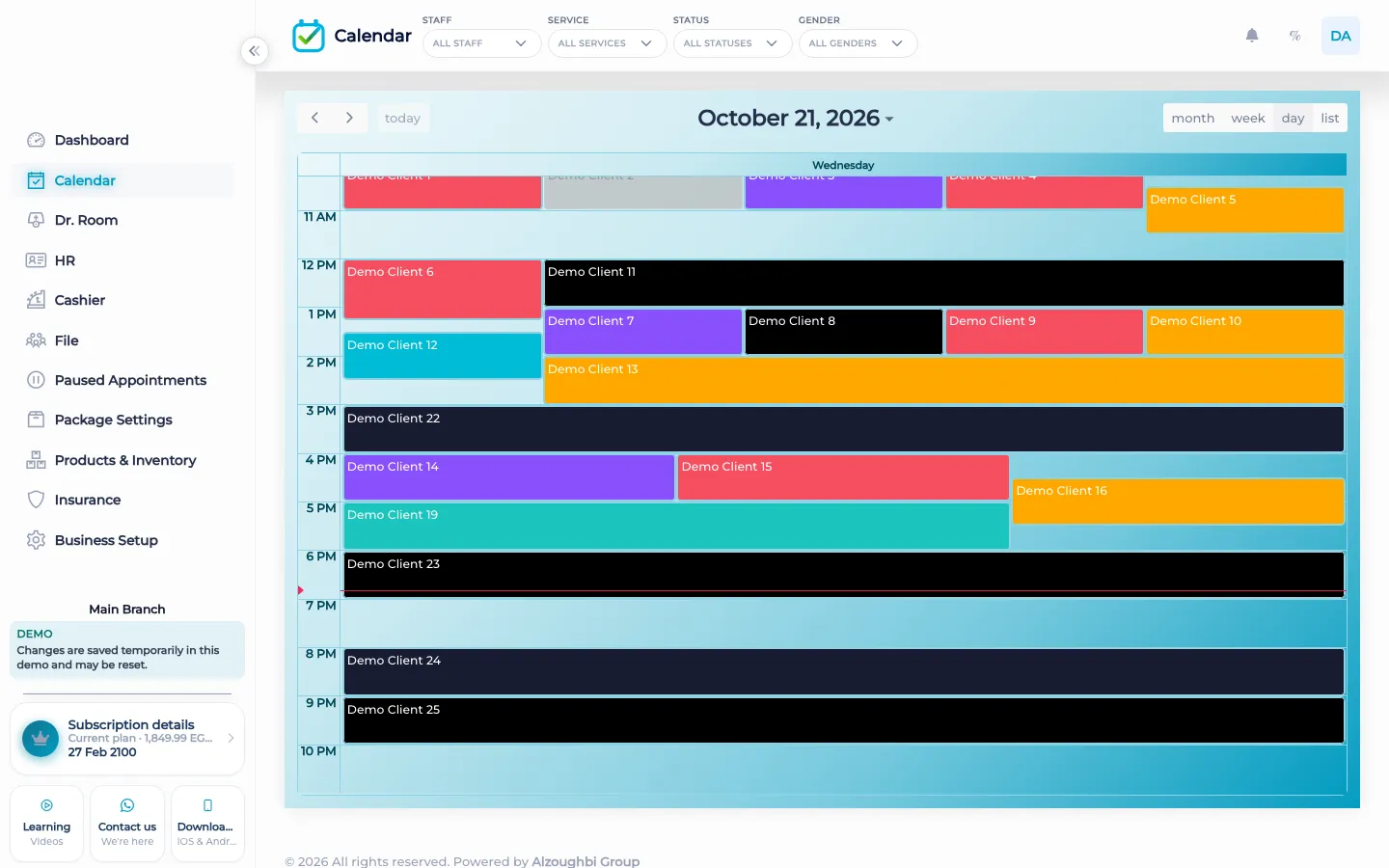
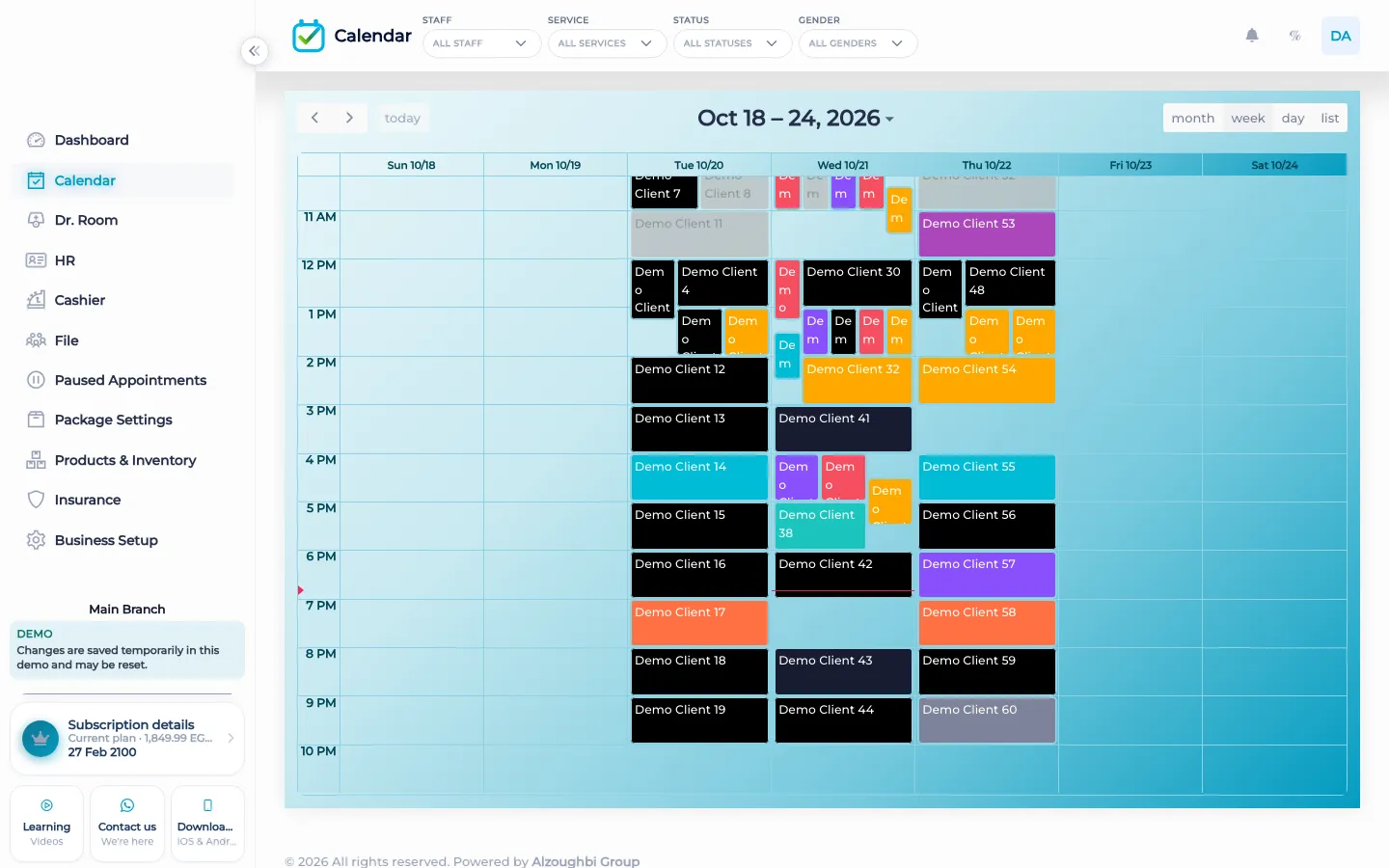
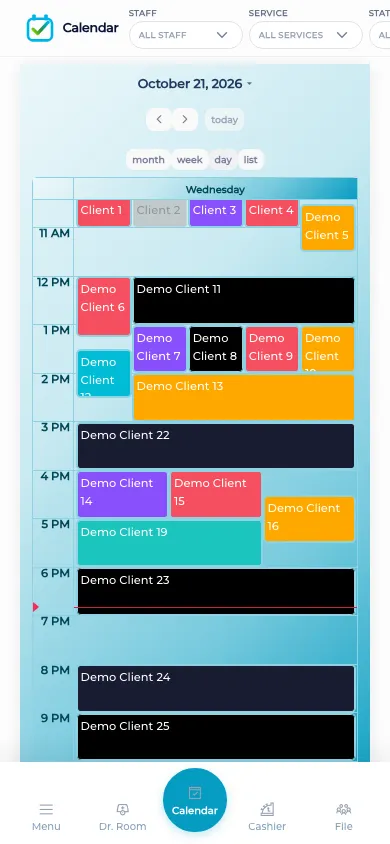
Watch the tutorial
Organize the day on the BOC calendar and keep the schedule in one place for the team.
Questions
Can clients book online by themselves?
No. BOC does not include a customer self-booking portal. Staff book on the calendar.
Does the calendar send WhatsApp reminders?
No. The calendar does not send campaigns or automatic reminders. WhatsApp is a button on the customer file.
What is a conflict?
Two visits that would use the same staff member, or a branch limit that is already full, for the same time.
Can I drag a visit?
Yes. Staff can move a visit on the calendar when the day changes. That is a staff action.
Where are paused visits?
Paused appointments have their own list under appointments and bookings. The calendar is the day that is still on the book.
Does a second branch share this calendar?
No. Each branch keeps its own day. Switch branch to see the other book.