Reports and insights
Reports in BOC are the dashboard and the lists a manager opens to see the day: revenue, expenses, appointments, clients, and whether a visit is available, paused, or done.
What the dashboard shows
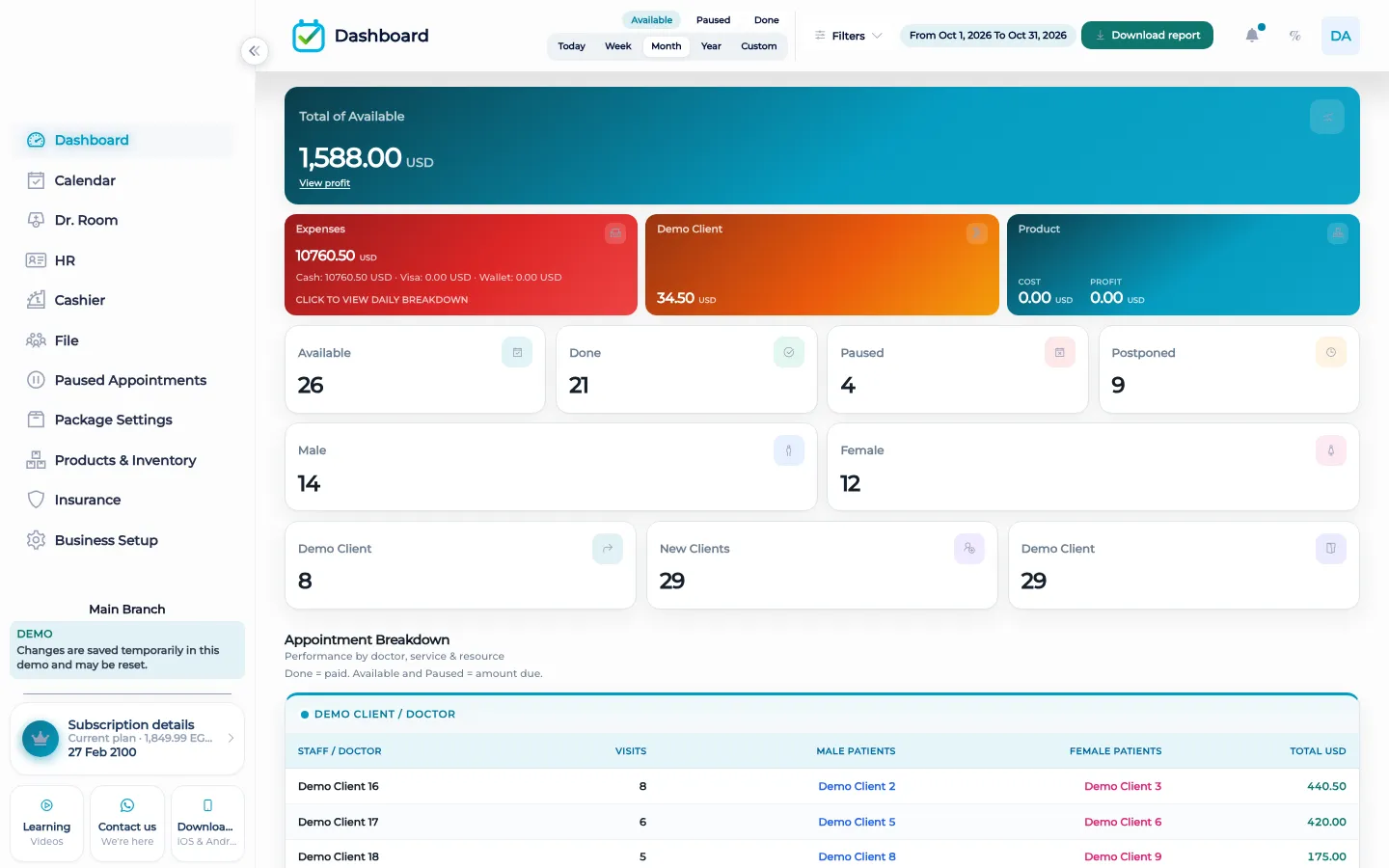
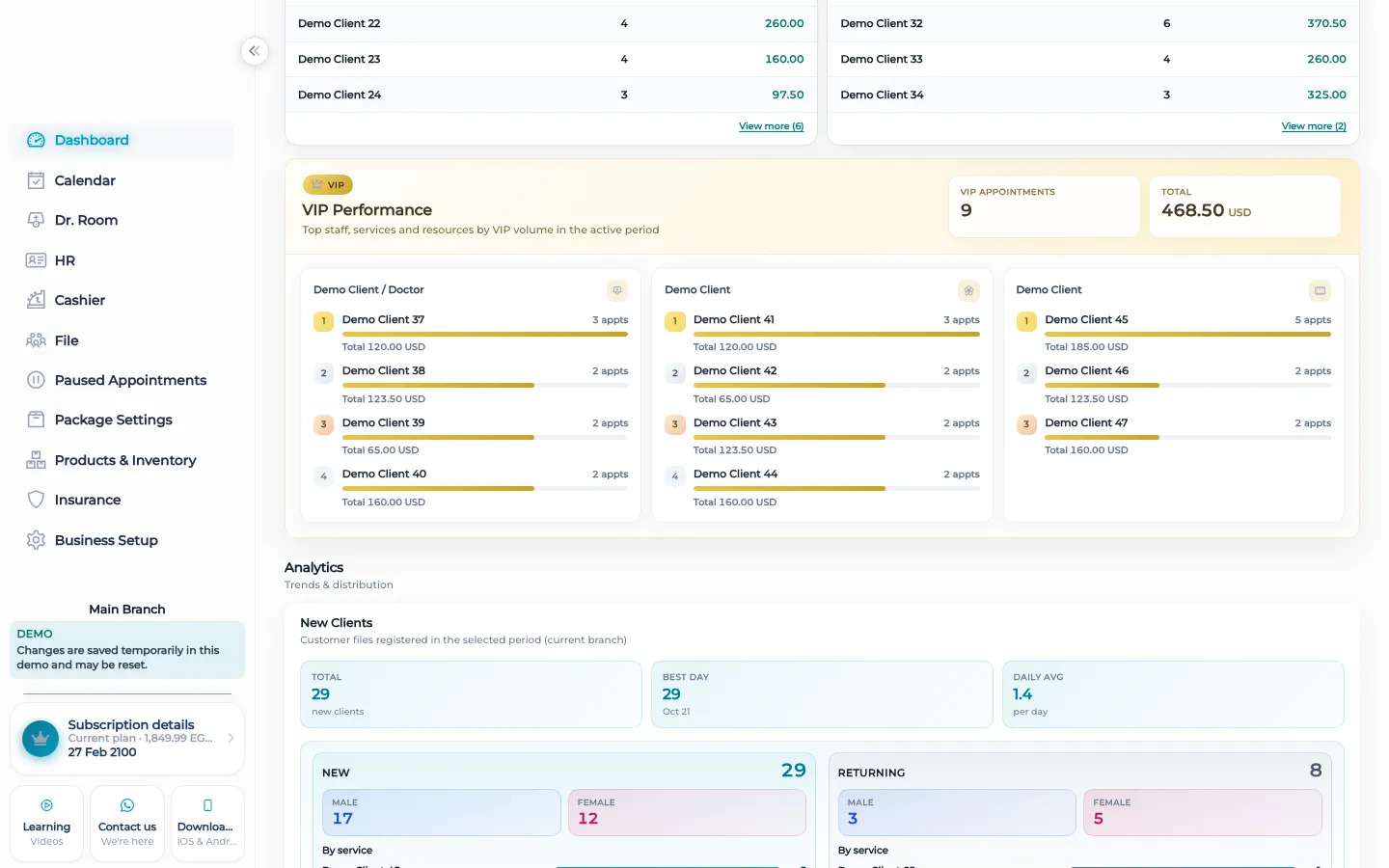
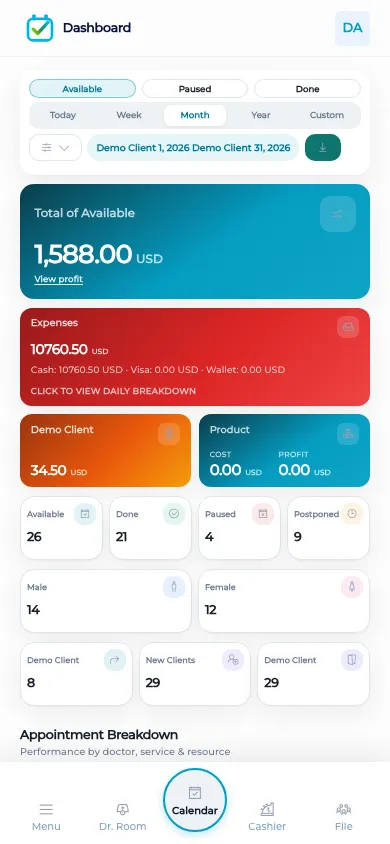
The dashboard reads revenue, expenses, appointments, and clients. You filter by a day or a custom range, and by service, gender, staff, or resource. Amounts are shown by currency and by payment method, because the cashier did not collapse cash, card, and wallet into one unexplained total. Available, Paused, and Done are visit states on that same view, so a paused visit is not counted as a finished one and a finished one is not still sitting in the morning list.
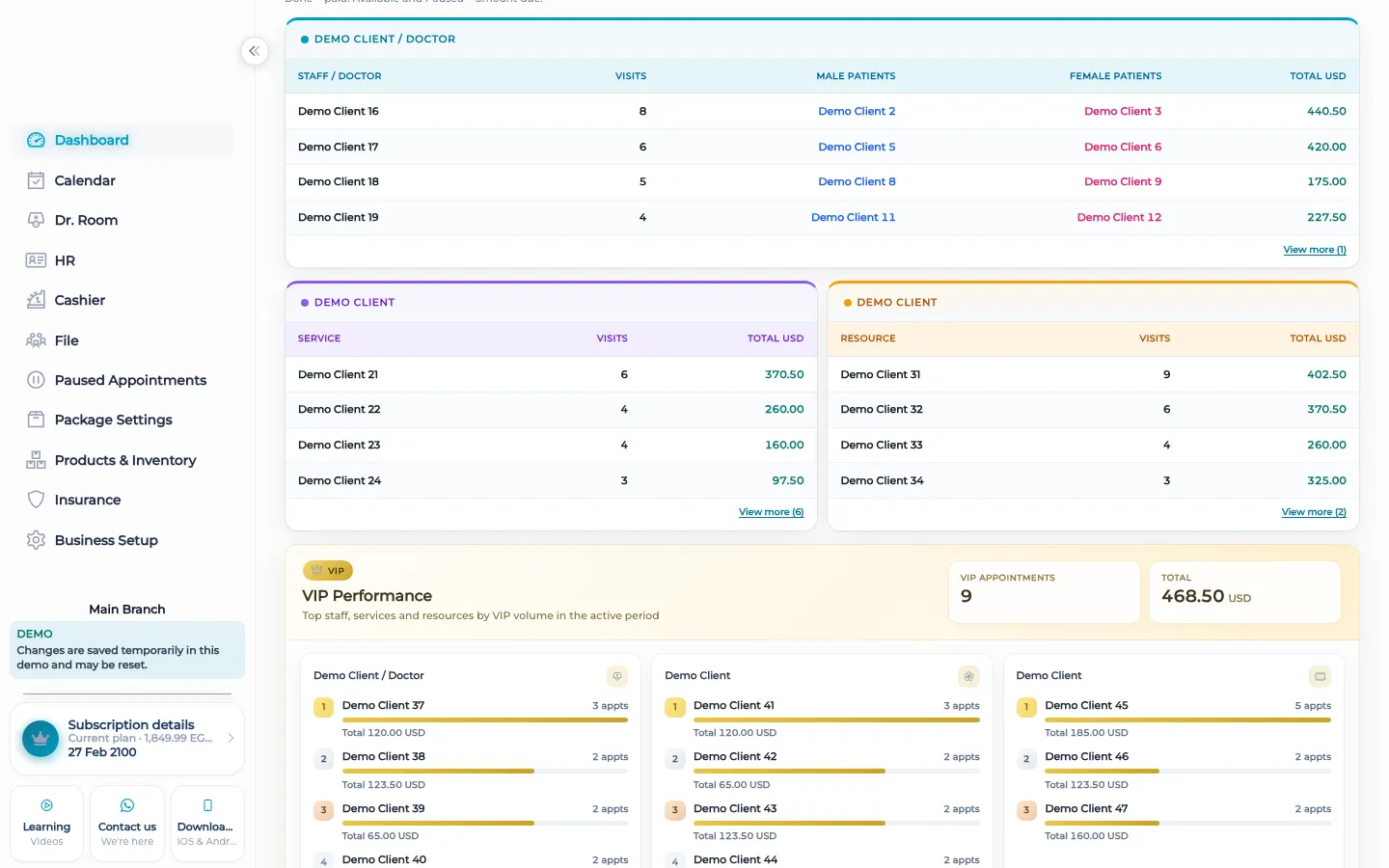
Staff hours, visits, and income can be read for the people who did the work. That is a report of what the records already say. It is not a promise about a commission rule. Commission, when you use it, is calculated from the commission rules and paid from HR or from the cashier. The dashboard does not replace that step. It also does not invent a trend the product does not store. You filter the days you care about and you read the numbers those days produced.
What makes it different
A chat group can tell you the day felt busy. It cannot filter that day by service and by staff and still agree with the cashier. BOC reports are the same visits and the same payments. Change the filter and you are still looking at those records, not at a slide someone typed on Sunday night. The tutorial on the dashboard walks through revenue, expenses, appointments, and clients on that screen.
A morning check
Before the first client is called, a manager can open the dashboard for today and see who is still available, who was paused, and who is already done if the day started early. The same screen can be limited to one service, one member of staff, or one resource such as a room or a machine. If yesterday needs a second look, the custom range covers that day without mixing it into today. Amounts stay split by currency and by method, so a card total is not mistaken for cash in the drawer. Expenses on the dashboard are the operating expenses already entered, not a guess. Staff hours and visit income sit there for the people who worked. None of these filters create a booking, take a payment, or approve a discount. They show what the desk has already recorded, which is the only number worth trusting at the start of the day.
How it works in BOC
- Open the dashboard. Read revenue, expenses, appointments, and clients for the range you picked.
- Filter the day. Limit the view by day or custom range, service, gender, staff, or resource.
- Read the visit states. Available, Paused, and Done stay separate so a pause is not counted as finished work.
- Split the money. Read amounts by currency and by payment method, matching the cashier.
- Check the people. Read staff hours, visits, and income. Pay commission from HR or the cashier when a rule says so.
Who it is for
Clinics A clinic checks which visits are still available before the doctor room fills.
Dental clinics A dental clinic filters by chair or resource so one long procedure does not hide the rest of the day.
Dermatology and laser A laser clinic filters by service to see which treatment produced the day’s income.
Beauty salons A salon filters by stylist and reads that person’s visits and income without opening every ticket.
Spas A spa filters by room or resource and by whether the treatment is still available or already done.
Barbershops A barbershop sees paused chairs separately from finished ones before the next walk-in.
Physiotherapy A physiotherapy practice filters a custom range to review a week of return visits and their income.
Sports clubs A club filters by coach or court and reads the sessions that were done, not a guess from the door.
Concrete benefits
- One dashboard for revenue, expenses, appointments, and clients.
- Filters for day, custom range, service, gender, staff, and resource.
- Available, Paused, and Done stay distinct.
- Amounts stay split by currency and payment method.
- Staff hours, visits, and income are readable without replacing commission pay.
Watch the tutorial
Filter the dashboard by day, service, gender, staff, and resource, and read Available, Paused, and Done.
Questions
What can I filter?
A day or a custom range, plus service, gender, staff, and resource.
What do Available, Paused, and Done mean?
They are visit states. A paused visit is not shown as done, and a done visit is not still available.
Are card and cash mixed?
No. Amounts are shown by currency and by payment method.
Does the dashboard pay commission?
No. It can show staff hours, visits, and income. Commission is paid from HR or from the cashier when a rule applies.
Is there a tutorial?
Yes, in English, on the reports page: the dashboard tutorial for revenue, expenses, appointments, and clients.
Can a client see these numbers?
No. The dashboard is for the signed-in team. There is no customer portal.