Mobile app
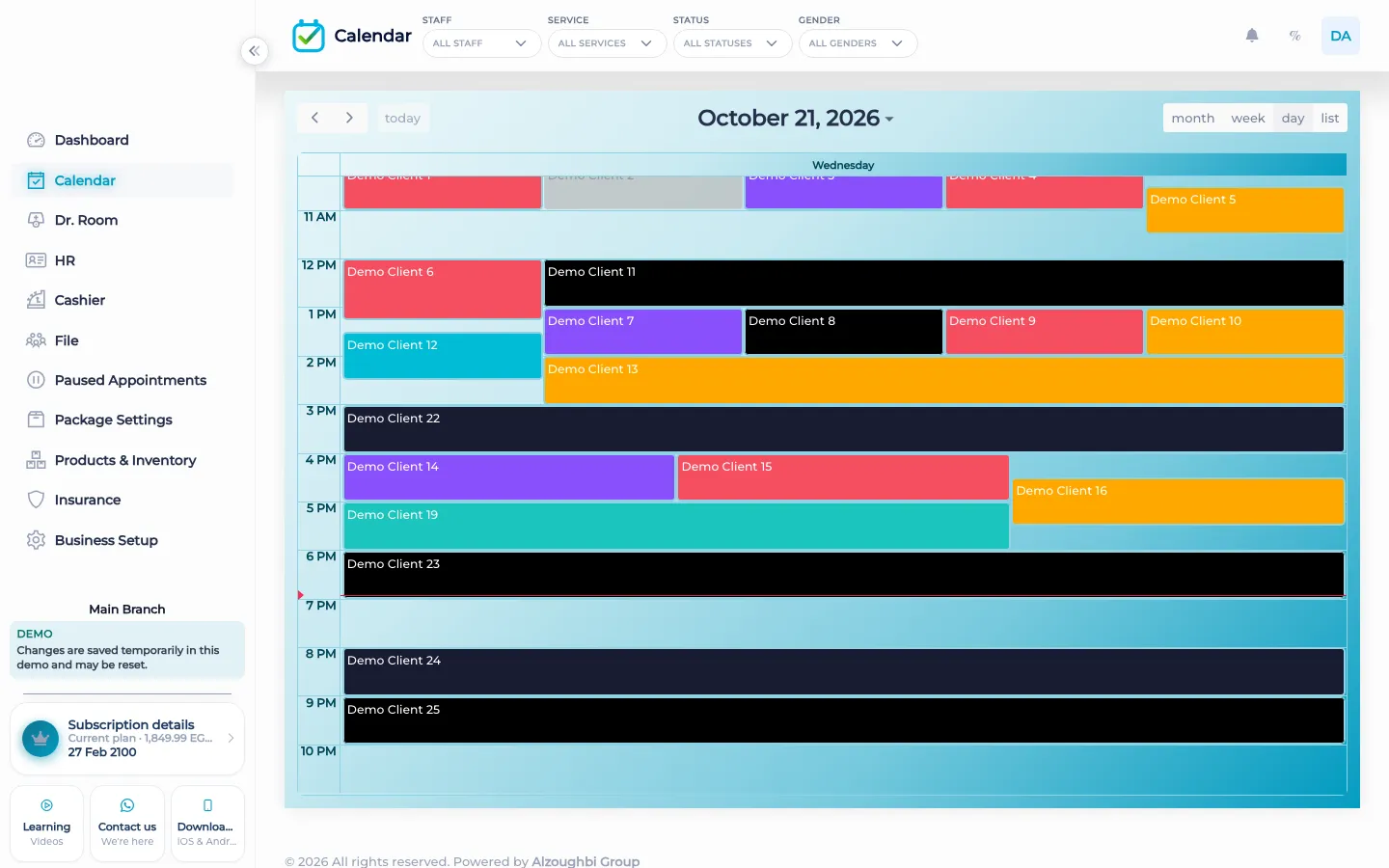
BOC has an iPhone app and an Android app. They open the same clinic workspace as the web: calendar, cashier, doctor room, client files, and the dashboard.
What the apps open
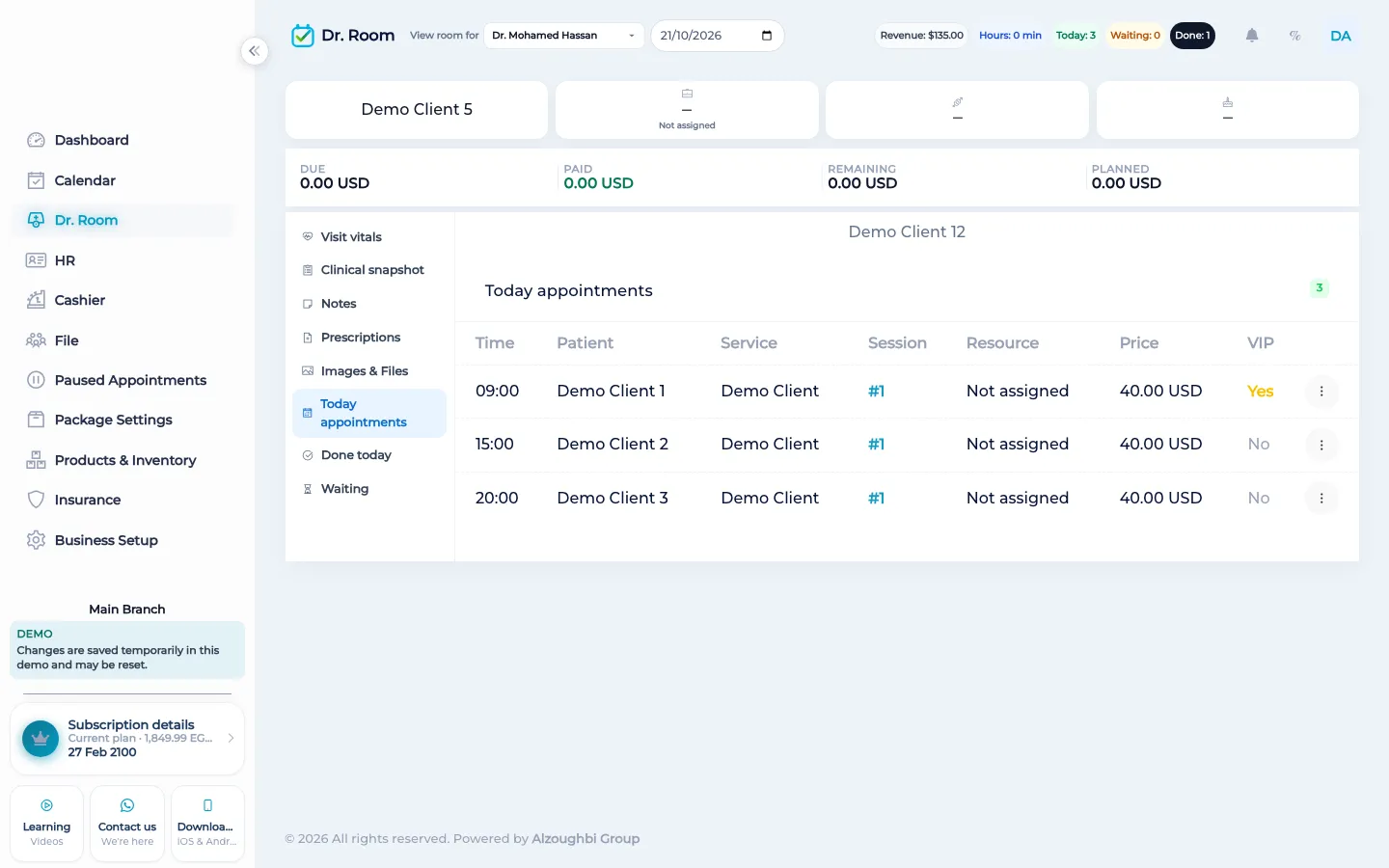
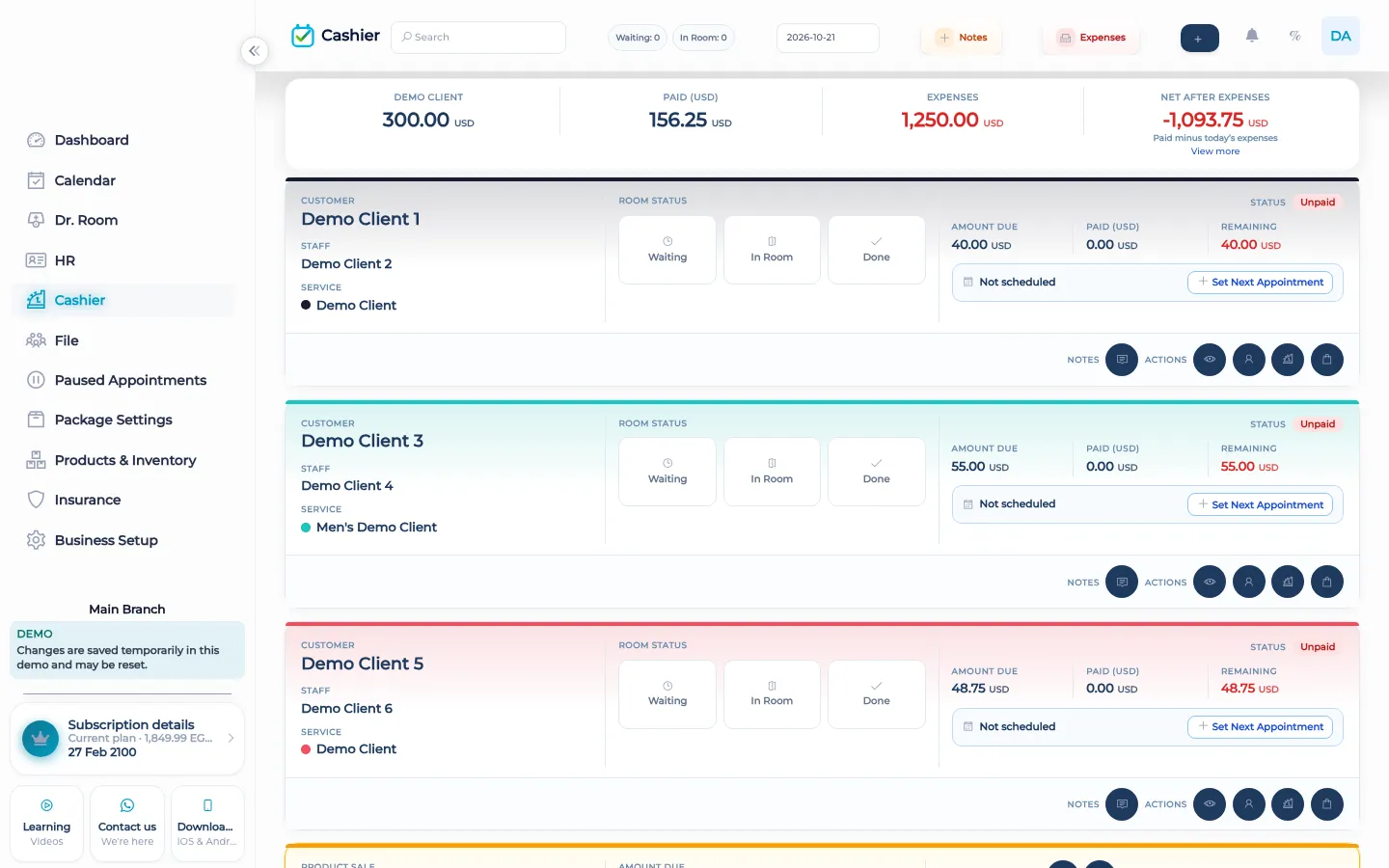
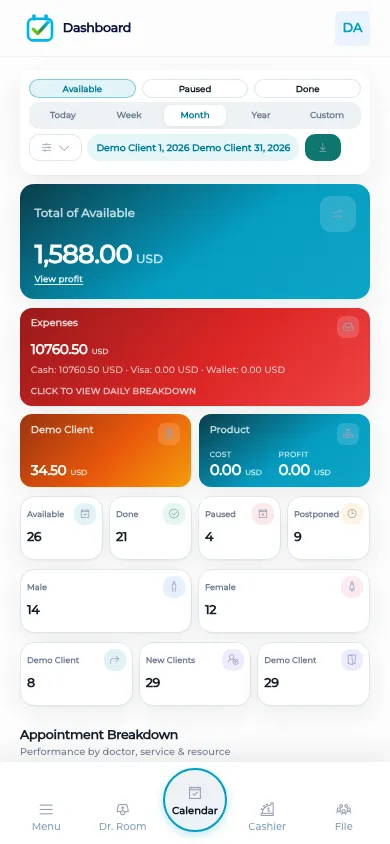
The iPhone app is on the App Store and the Android app is on Google Play. A signed-in staff member opens the clinic they work in. The calendar is the same book as the web calendar. The cashier is the same due, paid, and remaining. The doctor room is the same queue of waiting, in room, and done. The client file is the same file, including a dental chart when that clinic uses one. The dashboard is the same filters for the day. The phone is another screen on the workspace, not a second product with a different list of visits. There is no page where a client books themselves. Staff still create the visit. A screenshot of the web site squeezed into a phone frame is not a picture of the store listing. The store listing is the App Store page and the Play Store page.
GPS attendance is a phone action against the branch geofence. That punch is not a stored face image. The web attendance screen is where an authorized person corrects a punch with a reason. The apps do not add a client self-booking portal, and they do not send WhatsApp campaigns. WhatsApp is still a link the staff member sends.
What makes it different
A separate phone diary would drift from the desk book by lunch. The apps read and write the same visits, the same files, and the same payments. A visit marked done in the room on the phone is done on the web. A payment taken on the web is paid on the phone.
A day on the phone
A practitioner opens the app and sees today’s calendar for the branch they are in. They call the next person from the doctor room queue, write the note, and mark the visit done, or send it back to waiting. The front desk, on the web or on their own phone, sees that change. If money is due, the cashier on either screen shows due, paid, and remaining. A photo added to the file from the phone is the file’s photo. It is also the file the all-time export will put in the customer folder later. The member or the patient does not get a login to book the next session. Staff book it. If the clinic uses packages, the remaining session is still booked by staff as a visit. The phone does not become a public booking page. At the end of the day the dashboard on the phone filters the same day the web dashboard filters.
How it works in BOC
- Install the store app. iPhone on the App Store. Android on Google Play.
- Sign in to the clinic. The phone opens that clinic’s workspace.
- Use the same book. Calendar, doctor room, files, cashier, and dashboard match the web.
- Leave booking to staff. There is no client self-booking portal.
- Clock in without a face photo. GPS attendance does not store a face image on the server.
Who it is for
Clinics A clinician moves between the chair and the desk without a second diary.
Dental clinics A dentist opens the FDI chart on the phone and on the web.
Dermatology and laser A laser clinic checks the machine’s book from the phone between sessions.
Beauty salons A stylist sees their own book on the phone. The desk sees the same book.
Spas A therapist marks the room done on the phone. The cashier sees the visit.
Barbershops A barber takes a walk-in on the phone cashier without a second pad.
Physiotherapy A physiotherapist reads the plan on the phone in the treatment room.
Sports clubs A coach sees the session on the phone. Members still do not book themselves.
Concrete benefits
- iPhone and Android apps open the same workspace as the web.
- Calendar, cashier, doctor room, files, and dashboard match.
- Dental chart is on the phone when the clinic uses it.
- Clients do not book themselves.
- Attendance does not store a face image.
Questions
Where are the apps?
The iPhone app is on the App Store. The Android app is on Google Play.
Is the phone a different calendar?
No. It is the same book as the web.
Can a client book in the app?
No. There is no self-booking portal. Staff create the visit.
Does the dental chart work on the phone?
Yes, on the client file, when the clinic uses the chart. Other businesses leave it off.
Does the app store a face photo for attendance?
No. BOC does not store a face image on its server.
Are the pictures on this page the store screens?
No. Pictures of the workspace are the workspace. The store pages are the App Store and Play Store links.