Treatment plans
A service can be marked as a treatment plan. Staff then take a payment on a visit up to the remaining balance, and the client file shows what was paid and what is left.
What it does
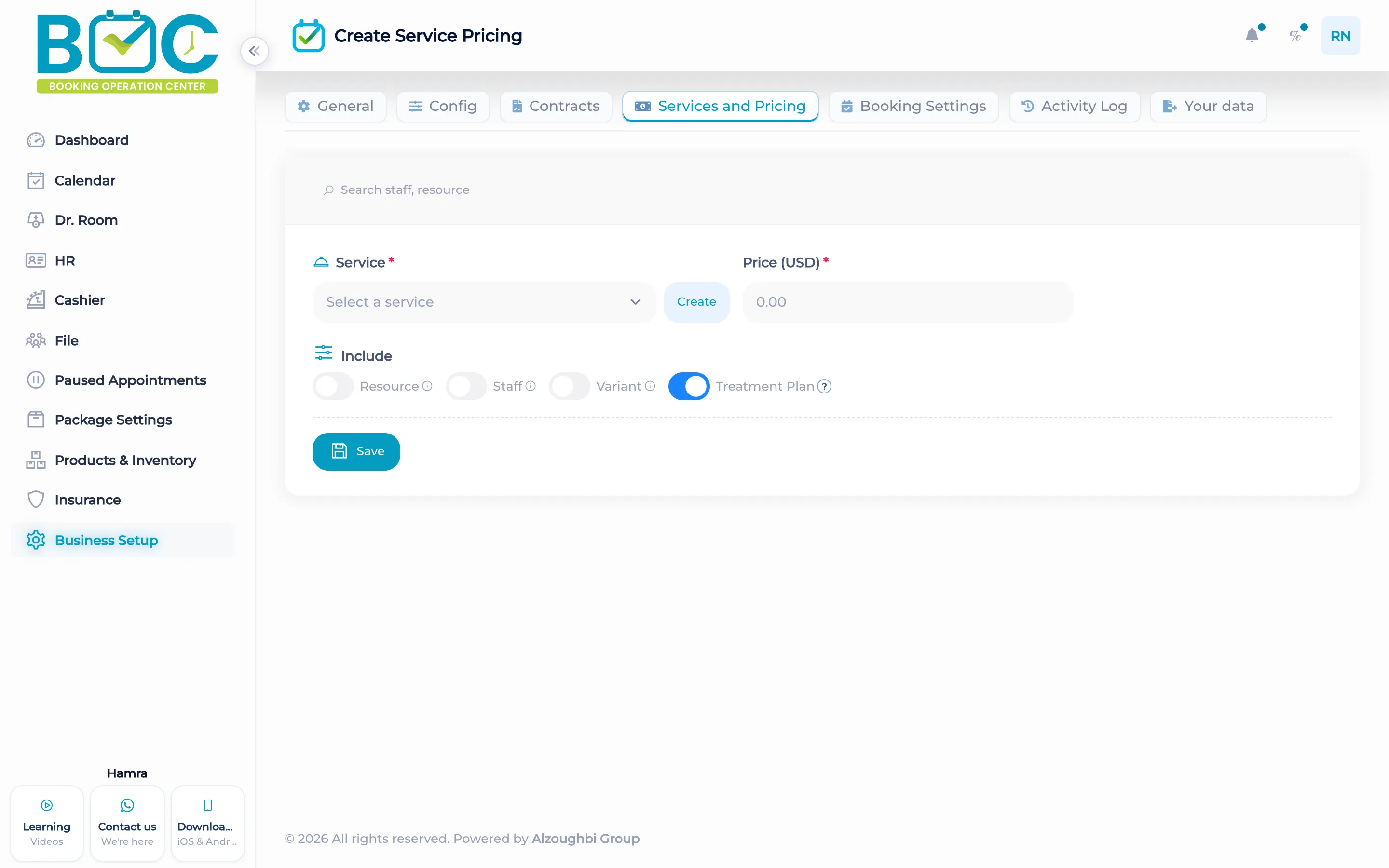
The service form has a Treatment Plan switch. When it is on, the service is a plan with a total and a remaining balance.
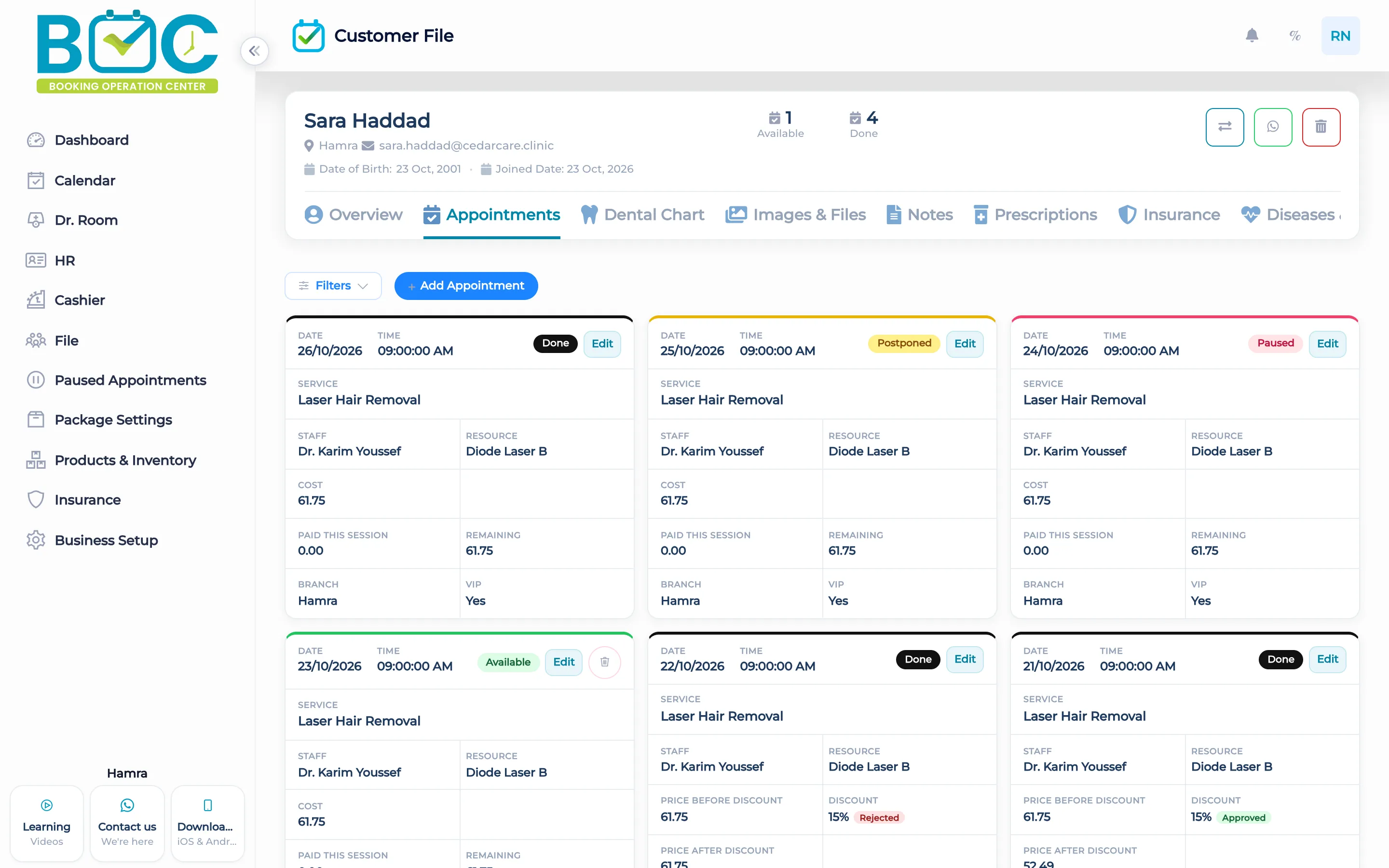
A payment that would go past the remaining balance is refused. The client file appointments show what is paid and what remains, and the cashier takes the payment against that balance.
How it works in BOC
- Open the service. Edit the service you want to sell as a plan.
- Turn Treatment Plan on. Use the Treatment Plan switch on the service form.
- Book the visit. The client file shows the plan on the appointments, with paid and remaining.
- Take the payment. At the cashier, take an amount that does not pass the remaining balance.
Watch the tutorial
Learn how to create services in BOC, choose their calendar colors, and set prices by equipment, staff member, and treatment area. This tutorial also covers VIP pricing.
Key capabilities
- A Treatment Plan switch on the service.
- Paid and remaining on the client file.
- A cashier payment against the plan.
- A payment past the remaining balance is refused.
Who it is for
Clinics collect the plan across visits instead of one full payment.
Dental clinics show paid and remaining on the patient file.
Physiotherapy take a visit payment without passing the balance left.
FAQs
How does a service become a plan?
Turn Treatment Plan on for that service.
Can the client pay part of it?
Yes. Any amount up to the remaining balance.
What if the payment is too high?
A payment past the remaining balance is refused.