Booking rules and capacity
Booking settings hold the rules for who can be booked, when, and how many visits may overlap. Working hours sit next to those rules.
What it does
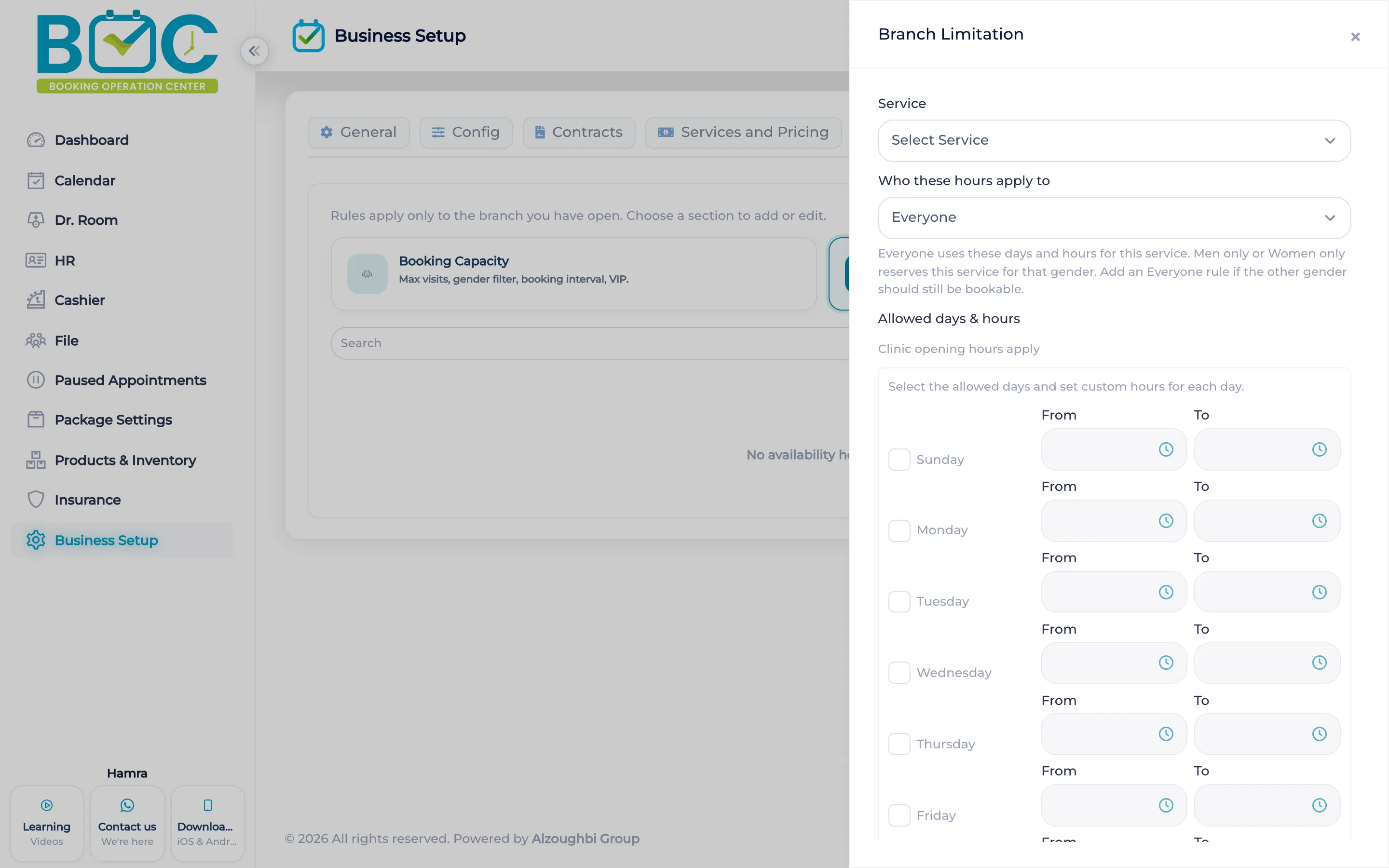
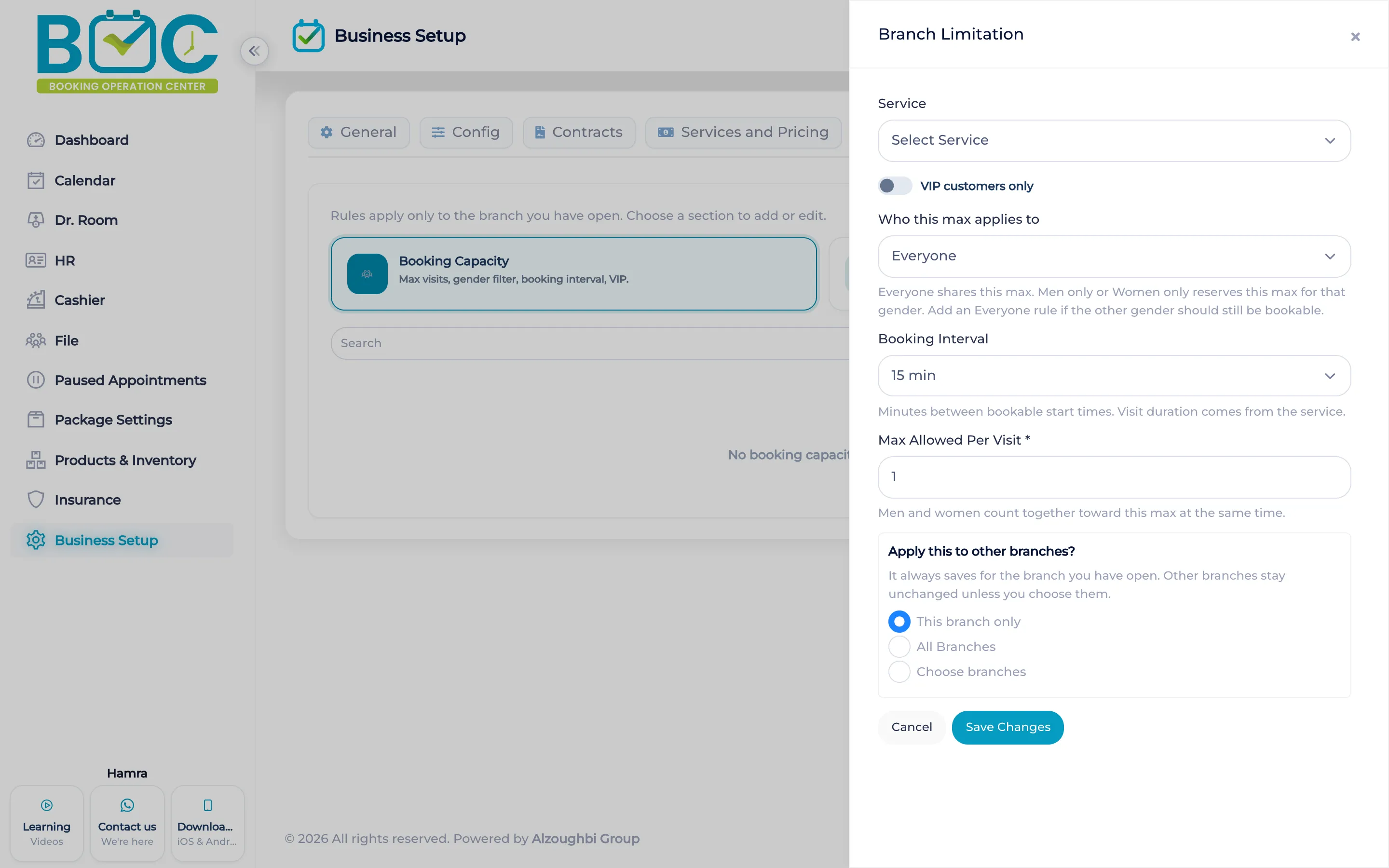
A capacity rule can name the staff member, the gender, and whether the time is for VIP customers only. It can set how many visits are allowed at once, the slot length, the days, and the hours.
Availability and working hours are part of the same booking settings, so the book accepts a time only inside the hours you set.
How it works in BOC
- Open Booking Settings. Start from the capacity rules.
- Name who the rule is for. Choose the staff member, the gender, and VIP customers only when that time is limited.
- Set the cap and the hours. Set how many visits may overlap, the slot length, the days, and the hours.
- Check working hours. Confirm the availability and working hours the book will accept.
Watch the tutorial
Configure booking capacity for services, assign staff, manage VIP bookings, and set the hours the book can accept.
Key capabilities
- A cap on visits at the same time.
- Rules by staff member and by gender.
- A VIP customers only option.
- Days, hours, and slot length.
Who it is for
Clinics cap overlapping visits and limit some hours to VIP clients.
Beauty salons set the hours and the staff a rule applies to.
Spas set slot length and which days accept bookings.
FAQs
Can a time be for VIP clients only?
Yes. The rule has a VIP customers only option.
Can the rule name a staff member?
Yes. A rule can apply to one staff member.
Where are the working hours?
In Booking Settings, with availability.