Medical history and vitals
Visit vitals are recorded in Doctor Room. Diseases, medicines, and the clinical snapshot stay on that same client.
What it does
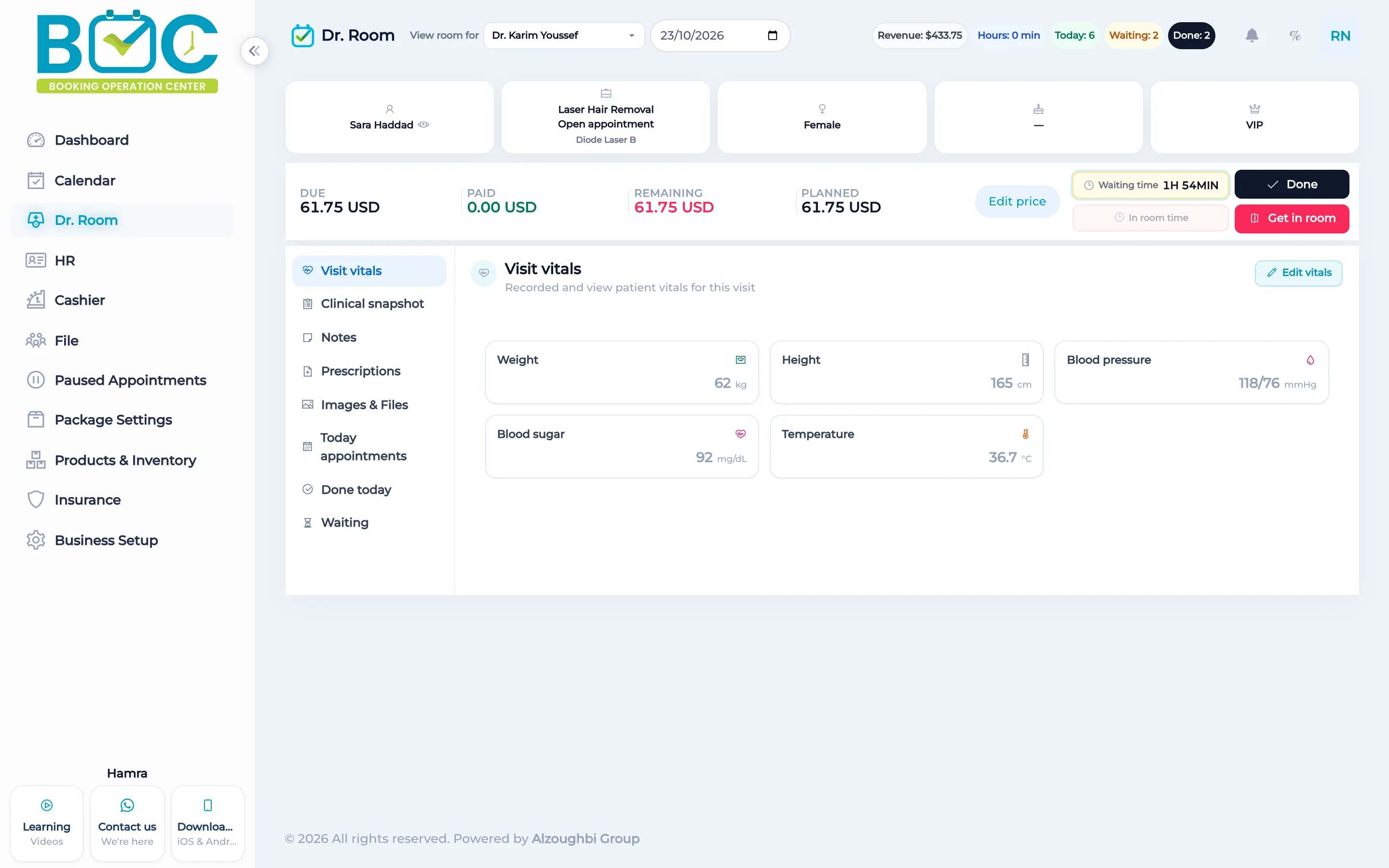
A visit can record weight in kilograms, height in centimeters, blood pressure in millimeters of mercury, blood sugar, and temperature in degrees Celsius. Staff can skip vitals on a visit.
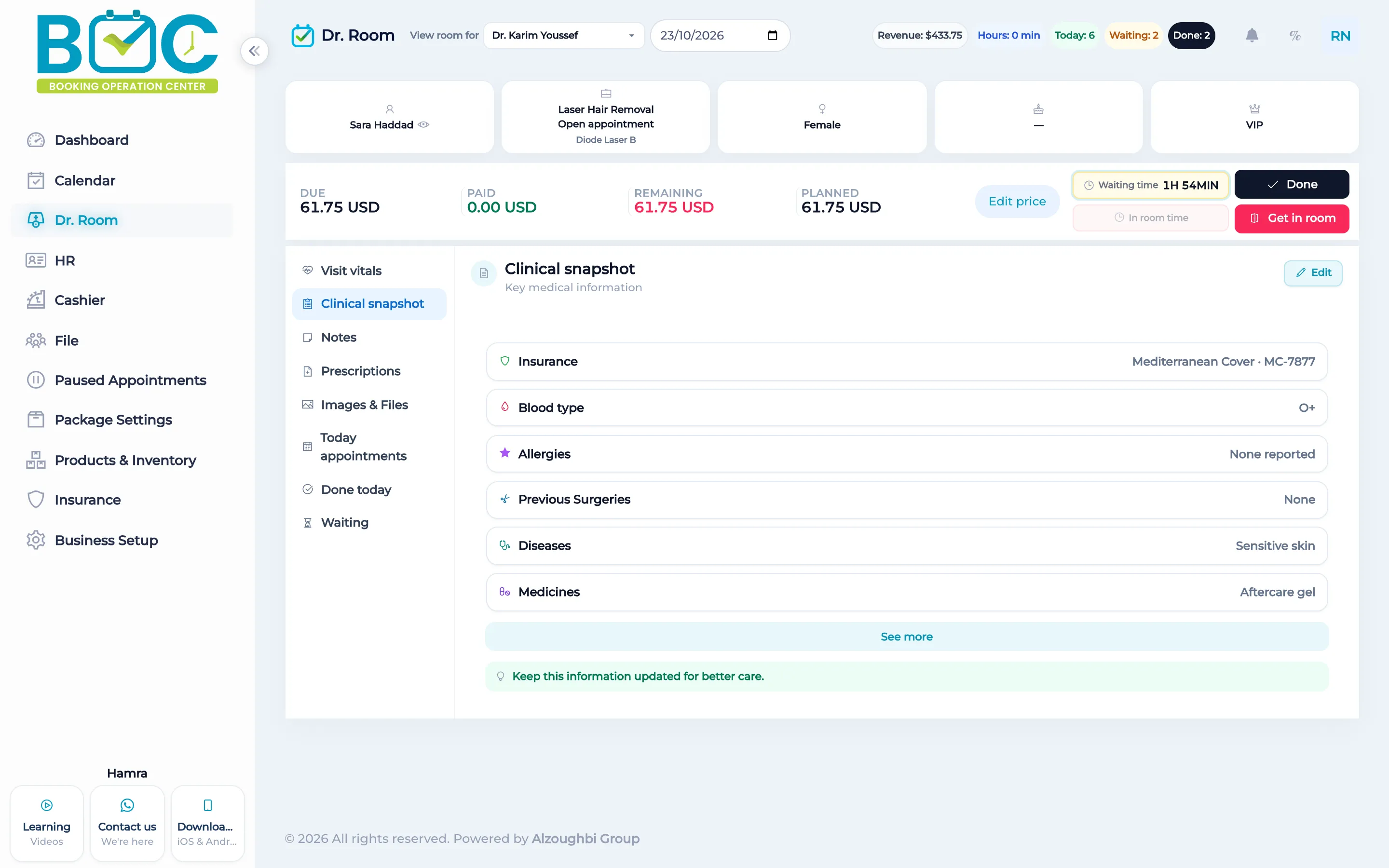
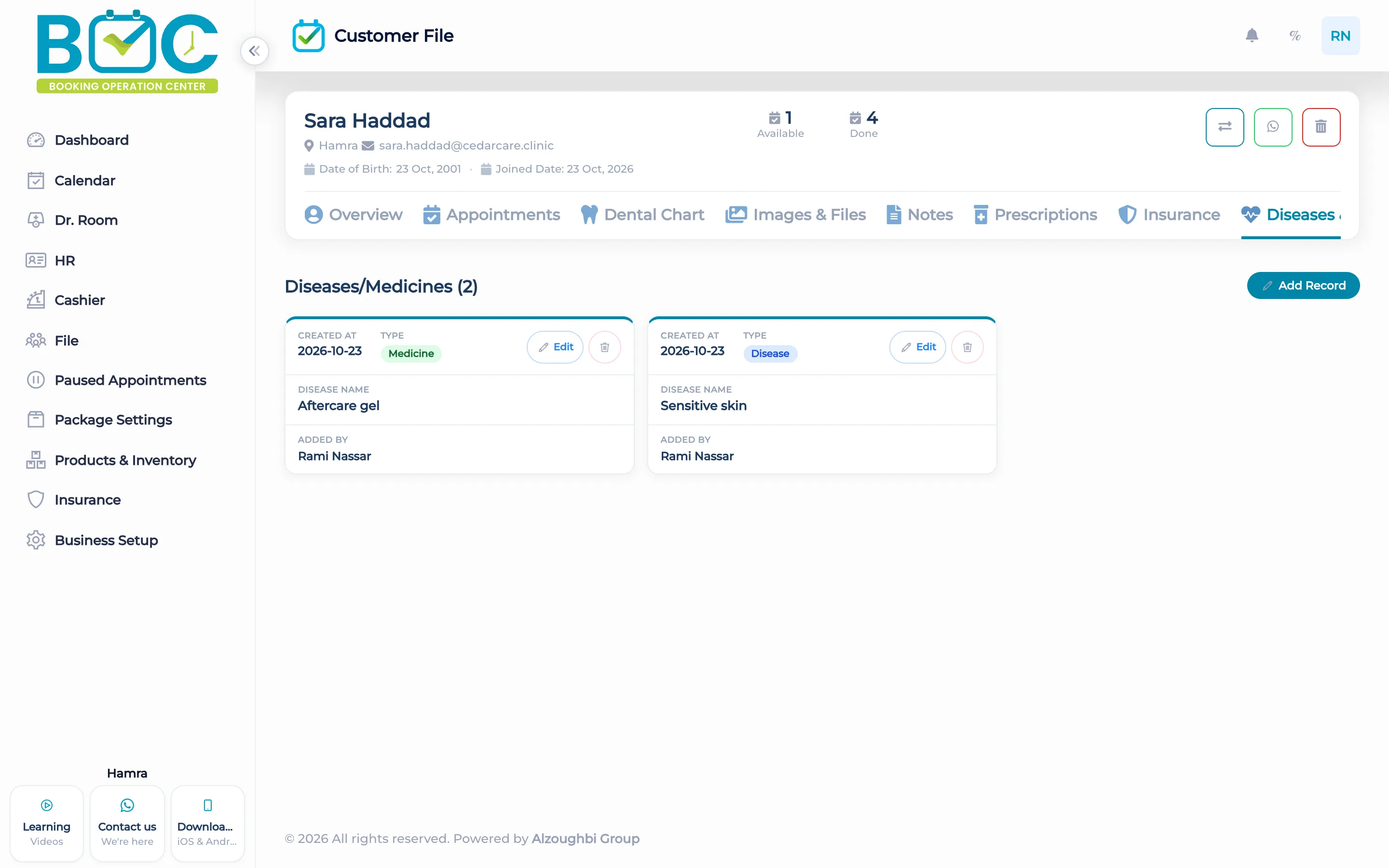
The client file keeps diseases and medicine. Doctor Room also has a clinical snapshot for that client, so the history is not a separate chart in another system.
How it works in BOC
- Open the visit. In Doctor Room, open the visit for the client who is in the room.
- Enter the vitals. Fill weight, height, blood pressure, blood sugar, and temperature, or skip them.
- Read the snapshot. Use the clinical snapshot in Doctor Room for the picture of that client.
- Open diseases and medicine. On the client file, open Diseases and medicine for the longer history.
Watch the tutorial
Learn how to enable and use Doctor Room in BOC. This tutorial shows how doctors and staff view today's appointments, see who is waiting at reception, call a client into the room, and mark visits as done or send them back to waiting. It also covers visit pricing and discount requests, the daily summary, visit vitals, the clinical snapshot, notes, prescriptions, and images and files in the client file.
Key capabilities
- Weight, height, blood pressure, blood sugar, and temperature on the visit.
- Vitals can be skipped.
- A clinical snapshot in Doctor Room.
- Diseases and medicine on the client file.
Who it is for
Clinics record the visit vitals in the room and keep the history on the file.
Dental clinics keep diseases and medicine on the patient file beside the chart.
Physiotherapy can record the vitals for the visit without a second system.
FAQs
Which vitals can a visit hold?
Weight, height, blood pressure, blood sugar, and temperature.
Must every visit have vitals?
No. Staff can skip them.
Where is the longer history?
Diseases and medicine are on the client file. The clinical snapshot is in Doctor Room.