Prescriptions
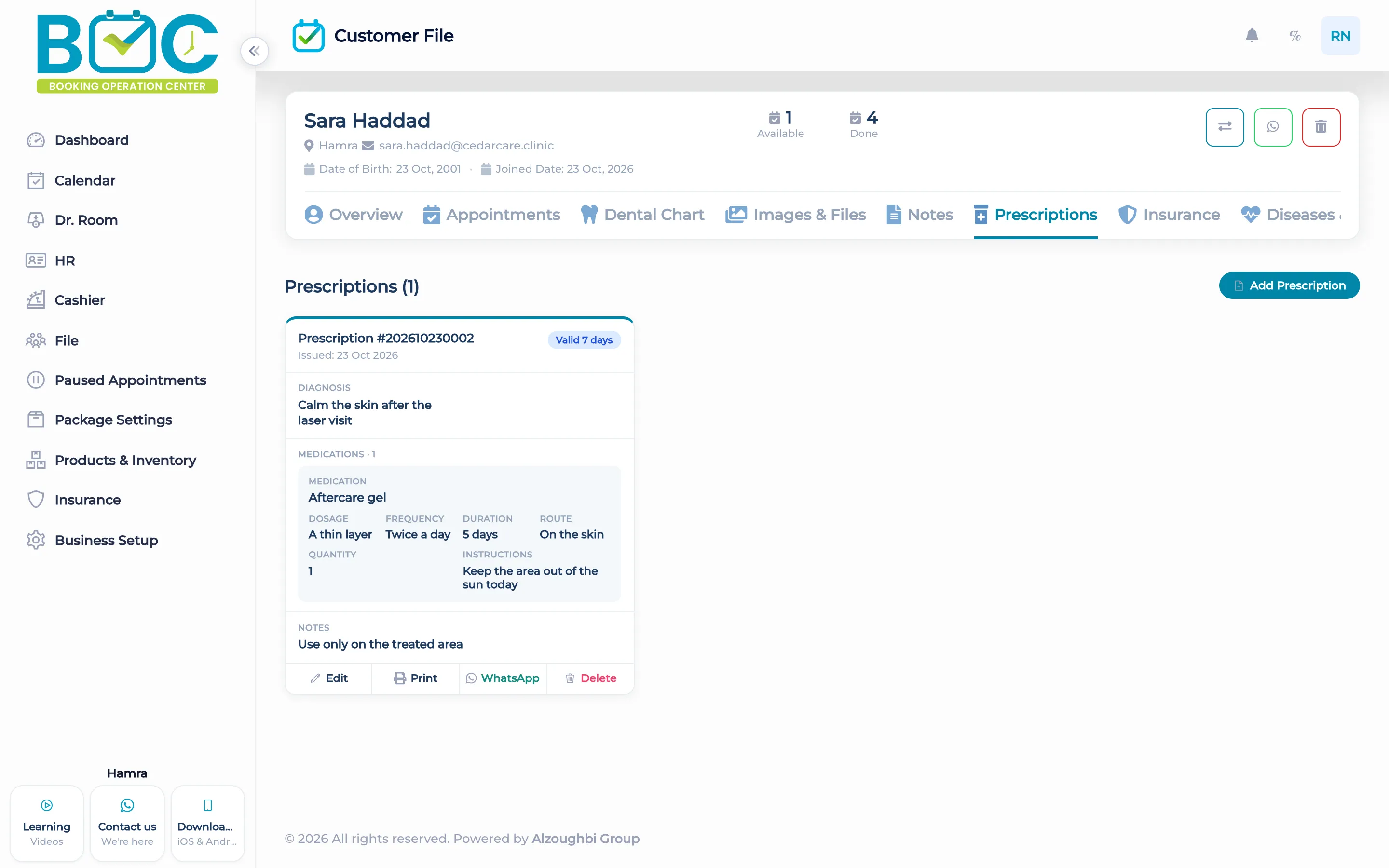
A prescription sits on the client file and in Doctor Room. Staff enter the medicine, how to take it, and any note, then print it.
What it does
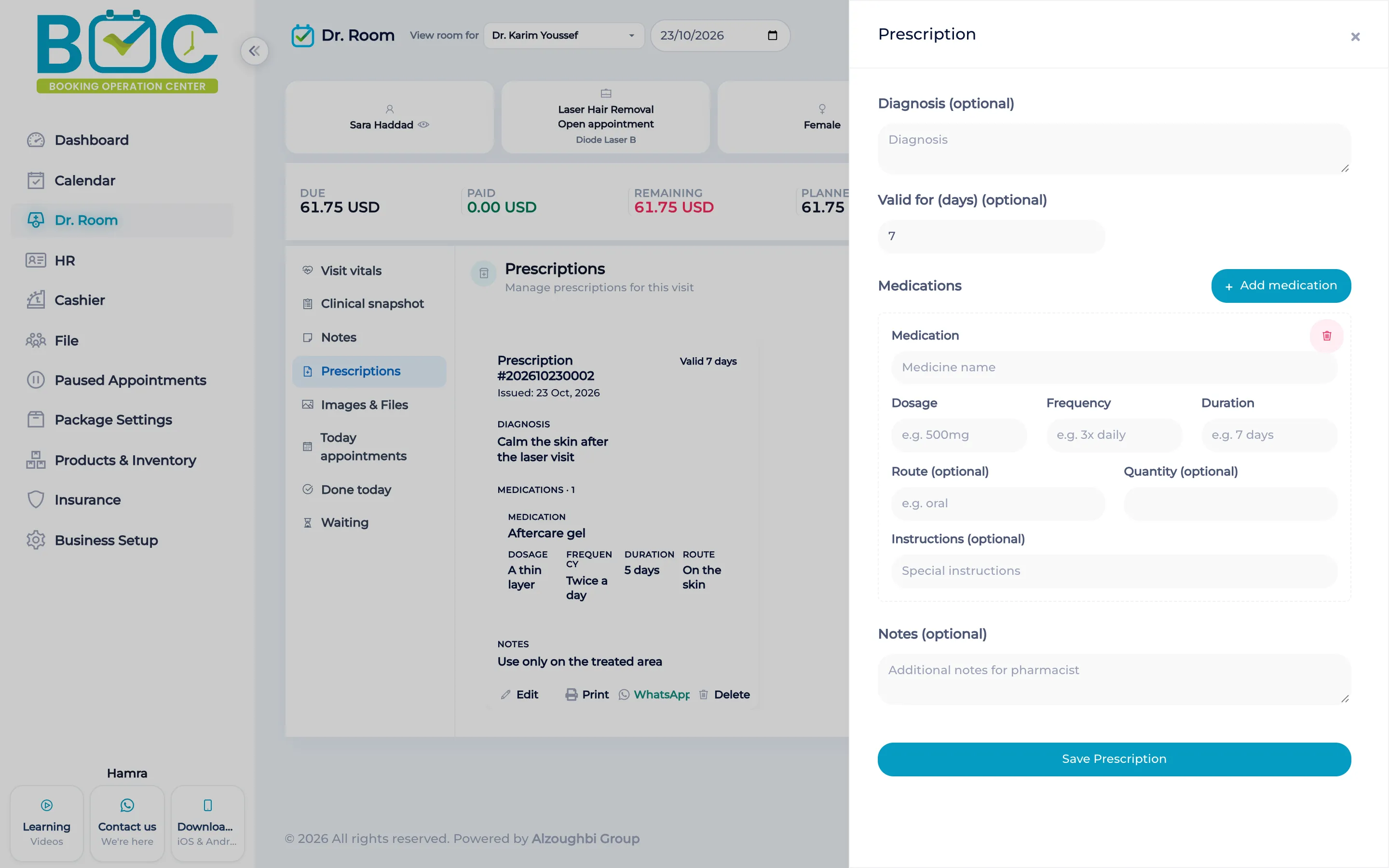
The form holds a diagnosis, how many days the prescription stays valid, a note, and the lines. Each line has the medicine name, dosage, frequency, duration, route, quantity, and special instructions.
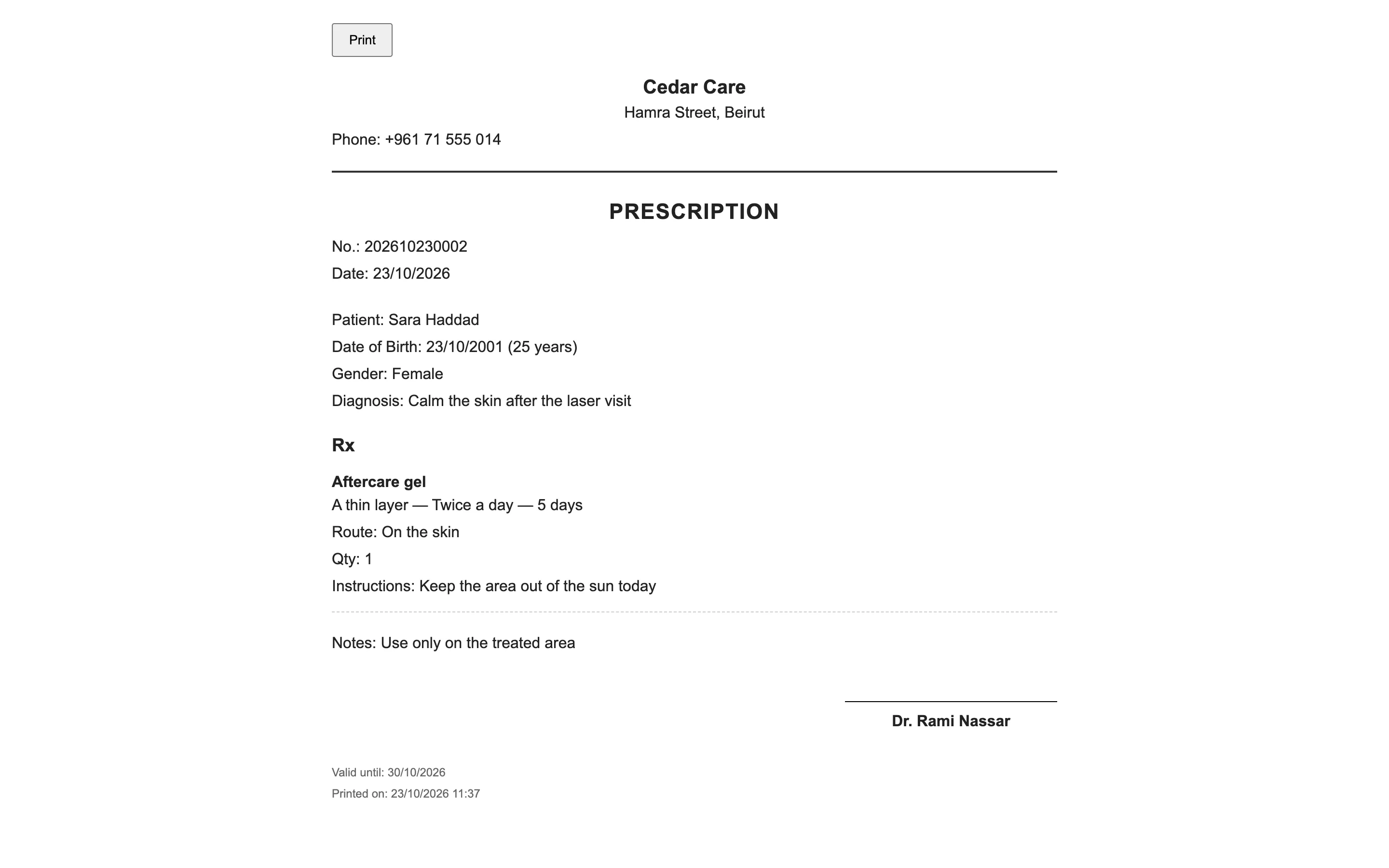
Staff can print the prescription. If the client has a phone number, staff can open a WhatsApp chat that carries a link to the PDF. The demo workspace blocks that WhatsApp step.
How it works in BOC
- Open the client. Use the Prescriptions tab on the client file, or the Prescriptions pane in Doctor Room while you add one.
- Write the lines. Enter the medicine, dosage, frequency, duration, route, quantity, and any special instructions.
- Set the life of the page. Add a diagnosis, the number of days until it expires, and a note if you need one.
- Print or share the PDF. Print from the prescription. With a phone number on the file, open WhatsApp and the PDF link.
Watch the tutorial
Learn how to enable and use Doctor Room in BOC. This tutorial shows how doctors and staff view today's appointments, see who is waiting at reception, call a client into the room, and mark visits as done or send them back to waiting. It also covers visit pricing and discount requests, the daily summary, visit vitals, the clinical snapshot, notes, prescriptions, and images and files in the client file.
Key capabilities
- Diagnosis, expiry in days, and a note on the prescription.
- Lines for medicine, dosage, frequency, duration, route, quantity, and special instructions.
- Print from the client file.
- Open WhatsApp with a signed PDF link when the client has a phone number.
Who it is for
Clinics use the same prescription on the file and in the room.
Dental clinics keep the medicine list on the patient file after the visit.
Dermatology and laser print the prescription before the client leaves the room.
FAQs
Where do I write a prescription?
On the client file Prescriptions tab, or in the Doctor Room Prescriptions pane.
What is on each line?
Medicine name, dosage, frequency, duration, route, quantity, and special instructions.
Does BOC send the prescription as a campaign?
No. Staff open one WhatsApp chat with a link to the PDF when the client has a phone number.