Spot checks and face verification
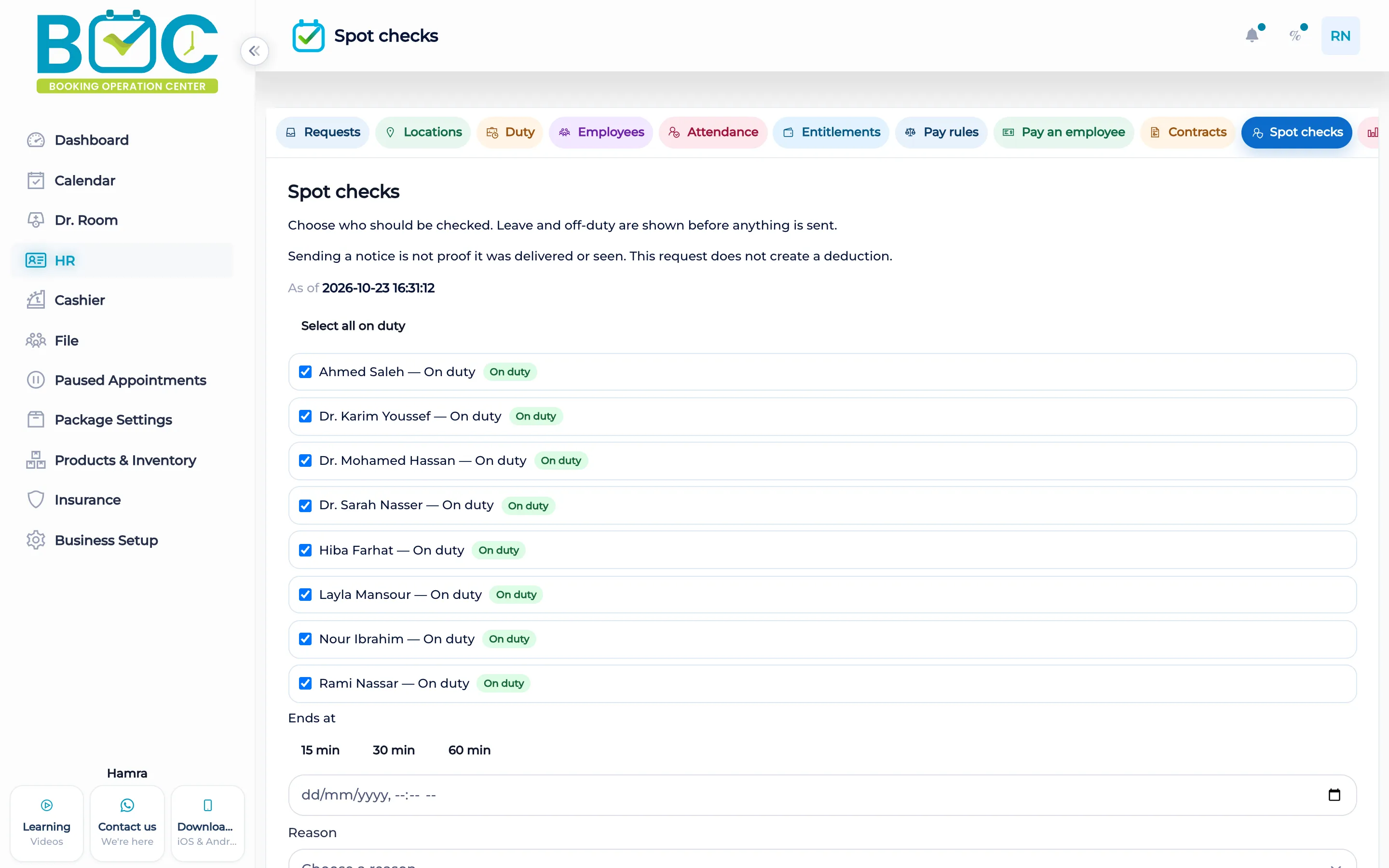
Spot checks show who is on duty before you send. The person answers on the phone with a live face check and a location. The server does not store a face image.
What it does
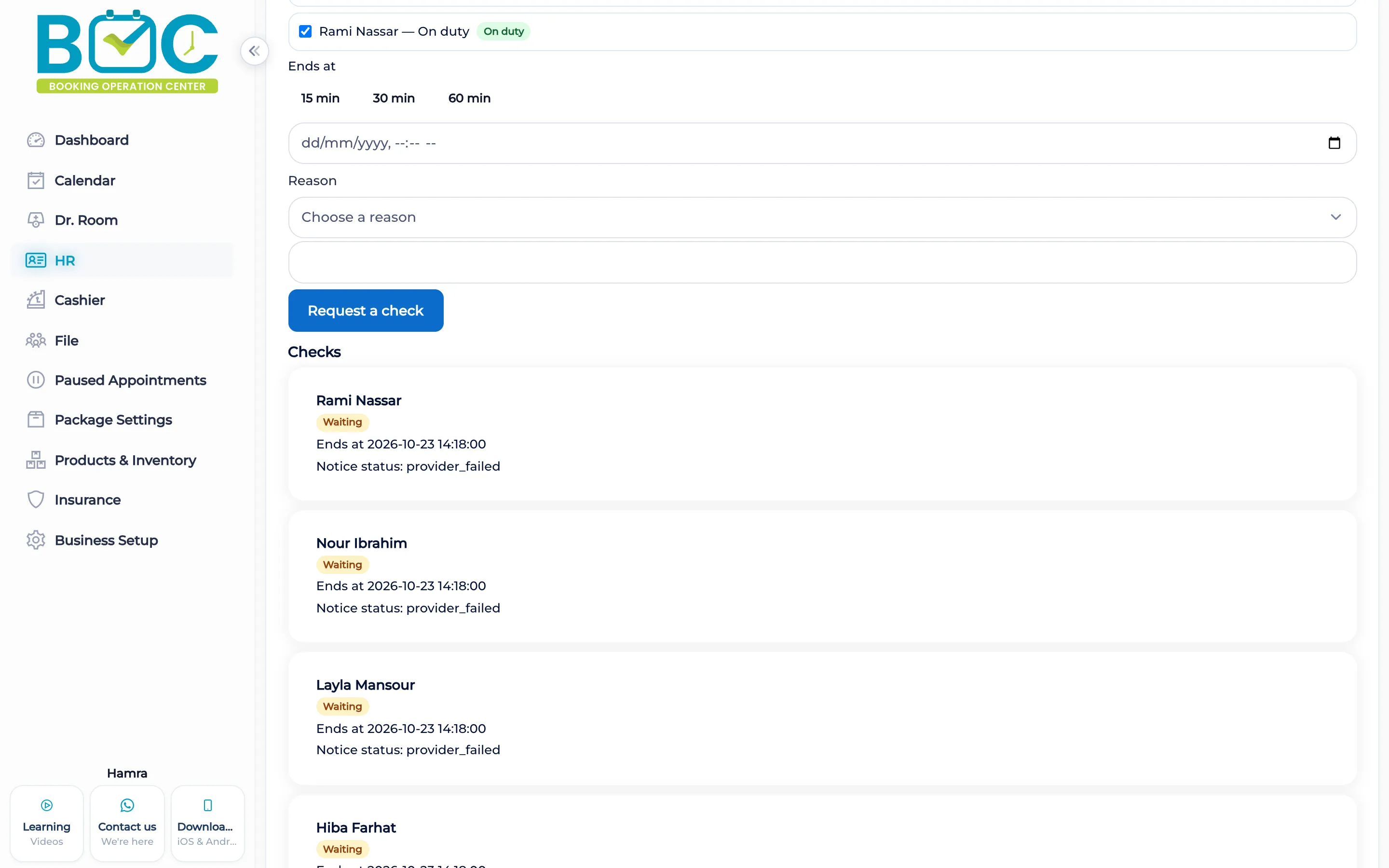
The page shows on duty, off duty, and on leave before a notice is sent. You can select everyone on duty. Reasons are Floor check, Opening check, and Closing check. Deadline buttons are 15, 30, and 60 minutes, and you can set an expiry time.
Sending stores one open challenge. It does not create a deduction, and sending a notice is not proof it was delivered or seen. The person answers on the phone with a live face check and a location. The server does not store a face image or a success flag from the phone.
How it works in BOC
- Open spot checks. See who is on duty, off duty, or on leave.
- Choose the people. Select the people on duty, or everyone on duty.
- Set the reason and the deadline. Use Floor, Opening, or Closing, and 15, 30, or 60 minutes, or a time you set.
- They answer on the phone. The phone asks for a live face check and a location. The server stores no face image.
Key capabilities
- On duty, off duty, and on leave before you send.
- Reasons: Floor check, Opening check, Closing check.
- Deadlines of 15, 30, or 60 minutes, or a time you set.
- A live face check and a location on the phone. No face image stored on the server.
Who it is for
Clinics ask someone on duty to confirm from the phone.
Beauty salons see who is on duty before sending a check.
FAQs
Does sending a check deduct pay?
No. Sending stores one open challenge and does not create a deduction.
Does the server keep a face photo?
No. It does not store a face image or a success flag from the phone.
Is a sent notice proof it was seen?
No. Sending is not proof it was delivered or seen.