Staff performance
A staff file has the appointments that person worked. When inventory is on, the Products tab shows what they sold. The dashboard can group the day by staff.
What it does
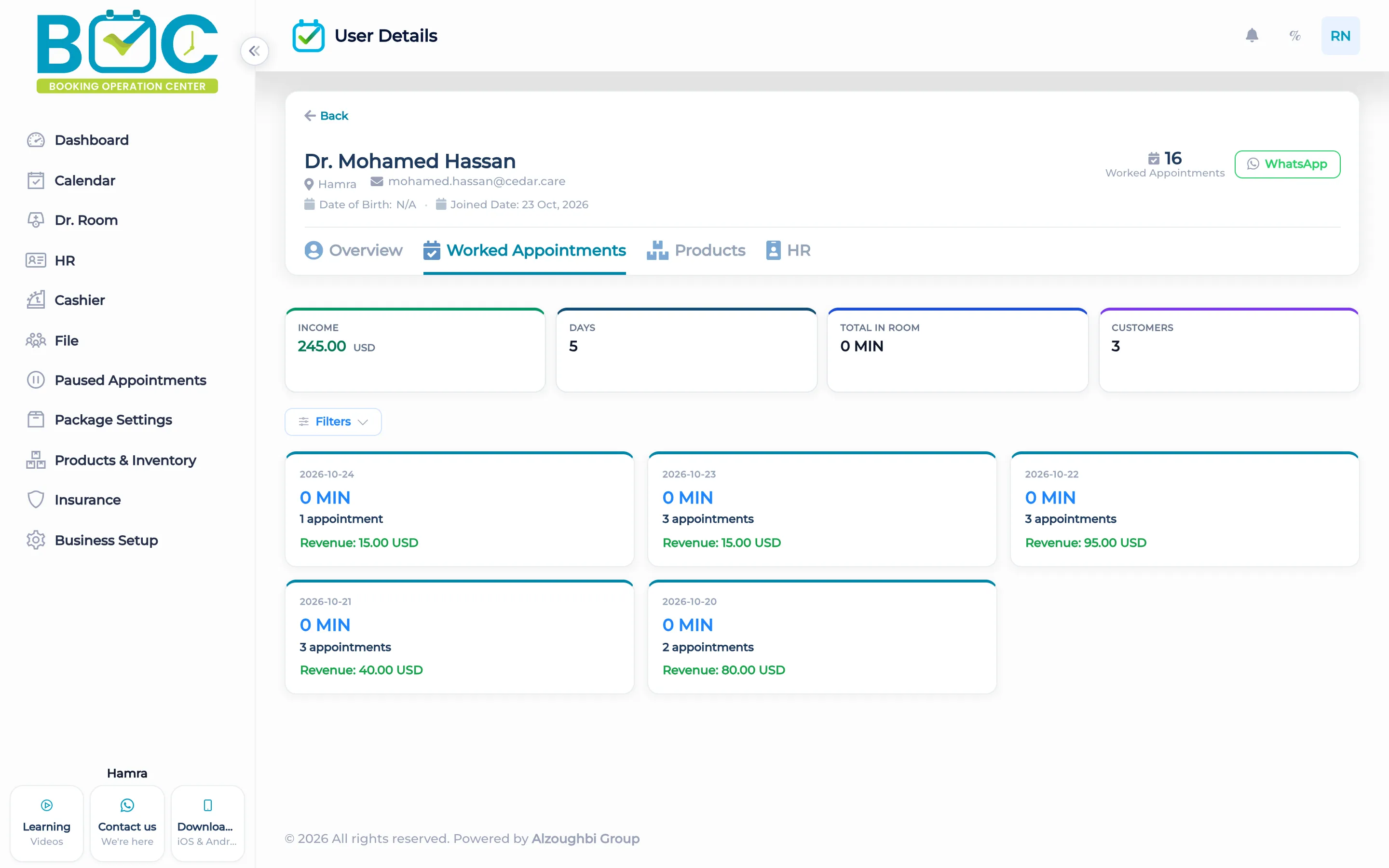
The staff file tab Worked Appointments lists the visits that person worked. The Products tab is there when inventory is on and the viewer is allowed to see staff products.
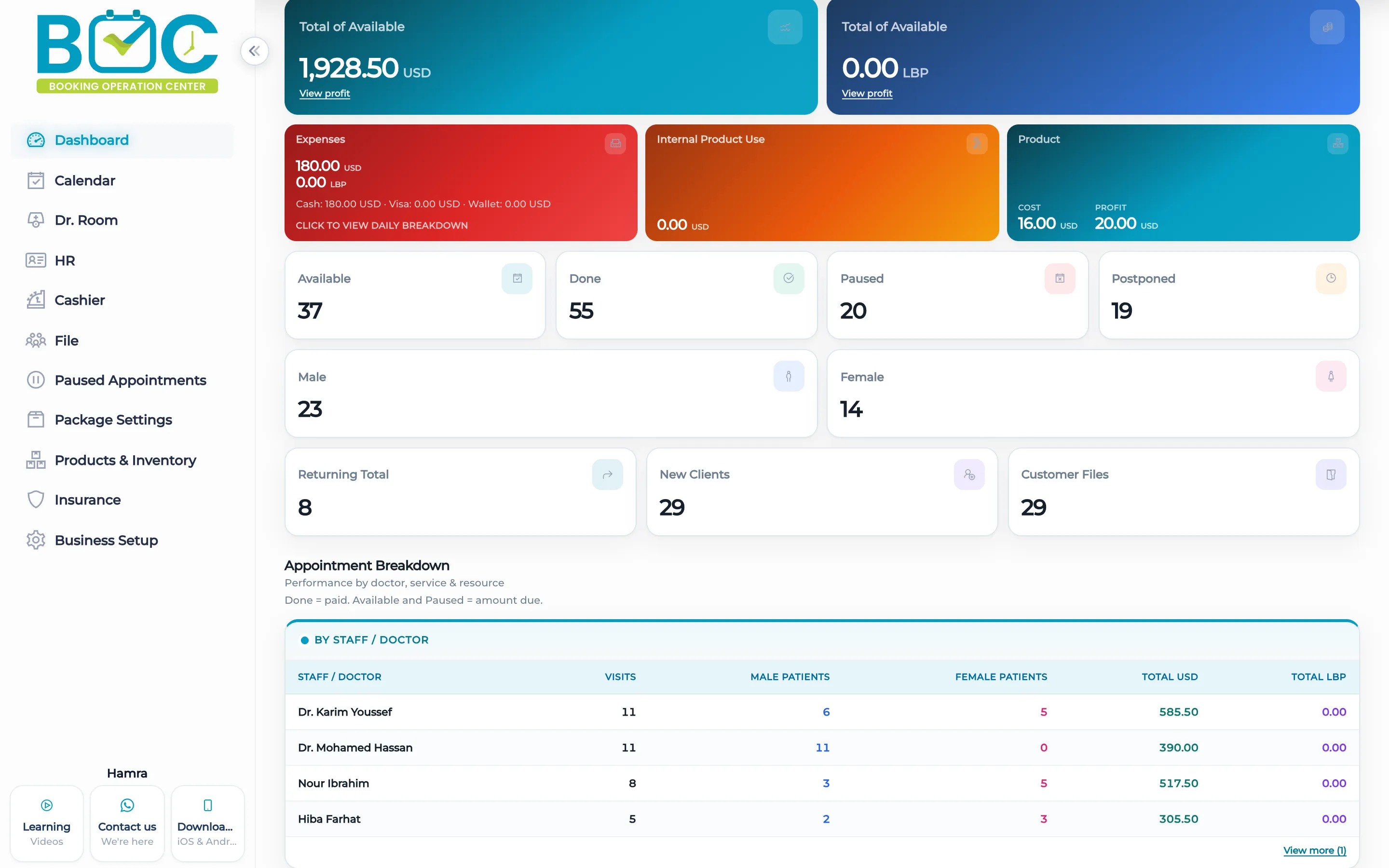
The dashboard can group figures by staff member. A commission rule, which is a separate screen, can be a percent of what was paid or a fixed amount, and one option applies once on the first payment above zero.
How it works in BOC
- Open the staff file. Choose the person from the team list.
- Read worked appointments. Open Worked Appointments for the visits they did.
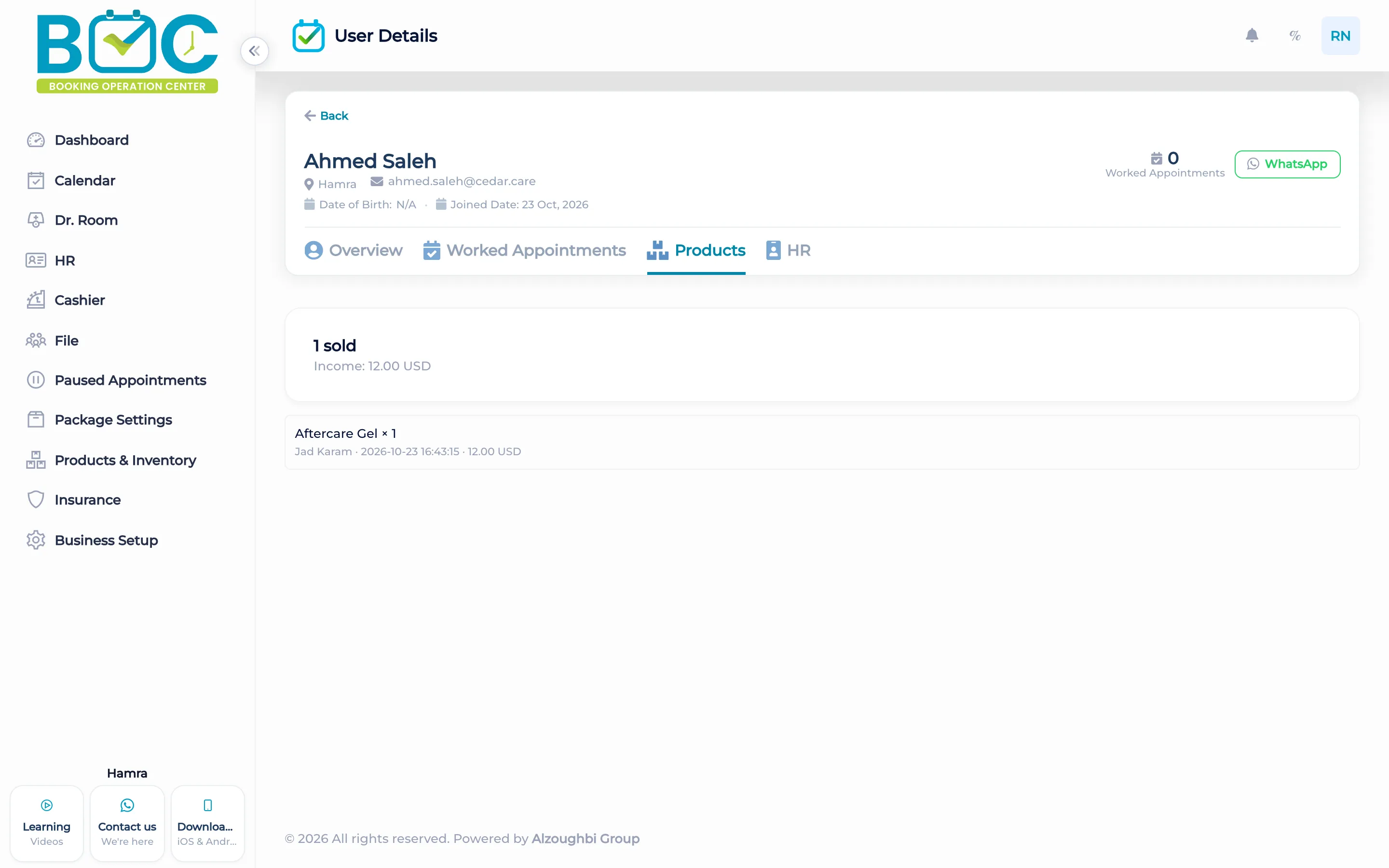
- Open products. When inventory is on, the Products tab shows what they sold.
- Read the dashboard. Group the dashboard by staff.
Watch the tutorial
Manage staff profiles and track each person’s work from one place.
Key capabilities
- Worked Appointments on the staff file.
- A Products tab when inventory is on.
- Dashboard grouped by staff.
- Commission as a percent of what was paid, or a fixed amount, on its own screen.
Who it is for
Clinics read worked visits and product sales from the staff file.
Beauty salons group the dashboard by the person who did the work.
FAQs
Where are the visits a person worked?
On their staff file, under Worked Appointments.
Where are the products they sold?
On the Products tab, when inventory is on.
Is commission on this same tab?
No. Commission has its own rules. A rule can be a percent or a fixed amount.