Leave, requests, and My HR
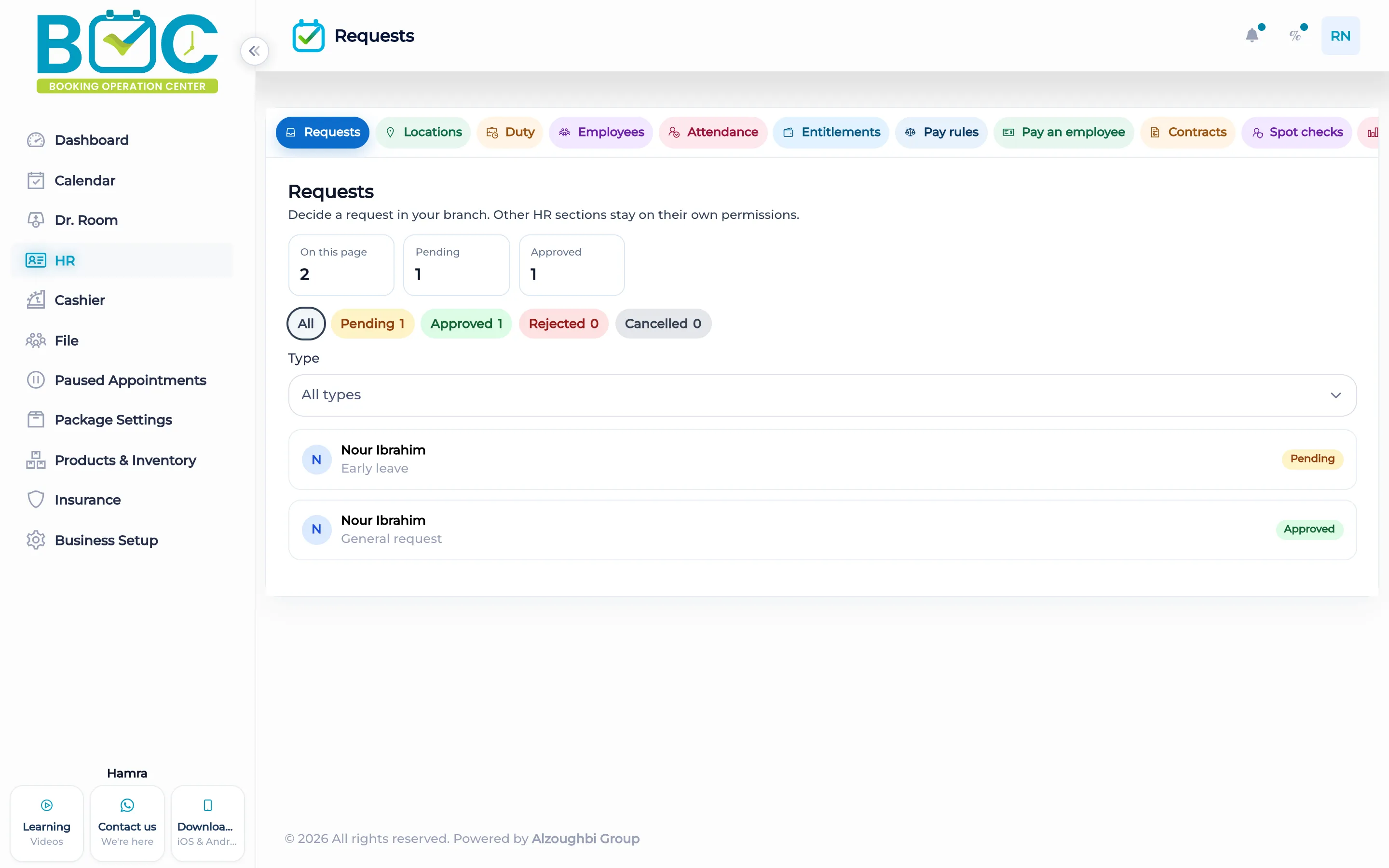
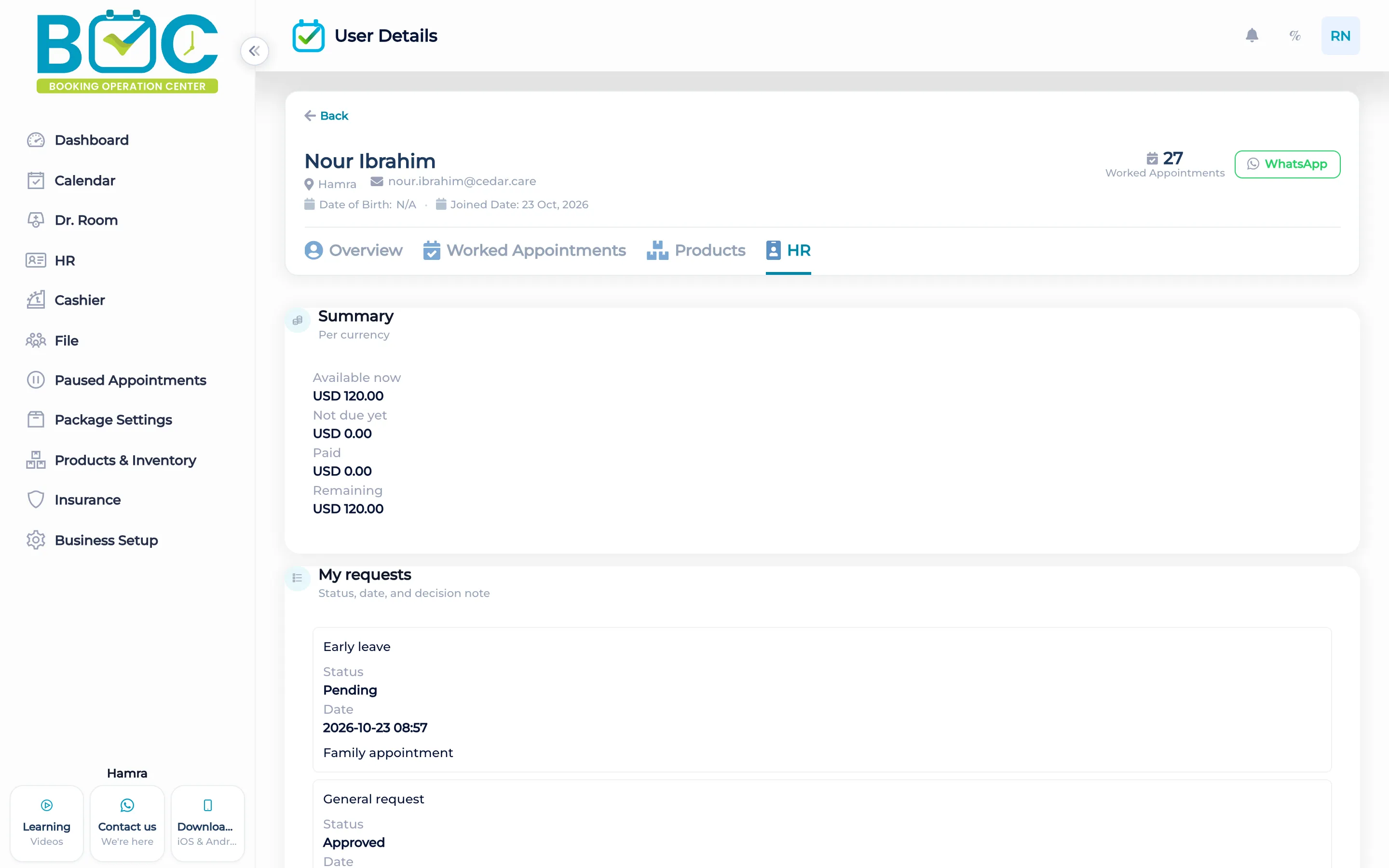
Staff open My HR on their own file to send a request. A reviewer works the request queue, which holds requests in different statuses.
What it does
The staff file has an HR area, My HR, where that person sends leave and other requests. A request can carry a note of up to 2000 characters and an attachment.
The request queue is the reviewer's list. It shows requests in mixed statuses so one person can approve or refuse them. The queue is not the same screen as the staff member's own HR page.
How it works in BOC
- Open the staff file. The person opens their own file.
- Open My HR. Send the leave or the other request from there.
- Add a note. The note can be up to 2000 characters, with an attachment if you add one.
- Review the queue. A reviewer opens the request queue and works the statuses.
Key capabilities
- My HR on the staff file.
- Leave and other requests sent from that page.
- A note up to 2000 characters and an attachment.
- A request queue with mixed statuses for the reviewer.
Who it is for
Clinics let staff send leave from their file and review it in the queue.
Beauty salons use the same My HR page and the same queue.
FAQs
Where does a staff member send a request?
From My HR on their own file.
Where does a reviewer work?
On the request queue.
How long can the note be?
Up to 2000 characters.